OpenAI Adds Active Sessions, but Codex CLI Stays Outside Logout
OpenAI Active sessions now shows ChatGPT, Codex, and API sessions, but Codex CLI credentials and connected apps still need separate cleanup.
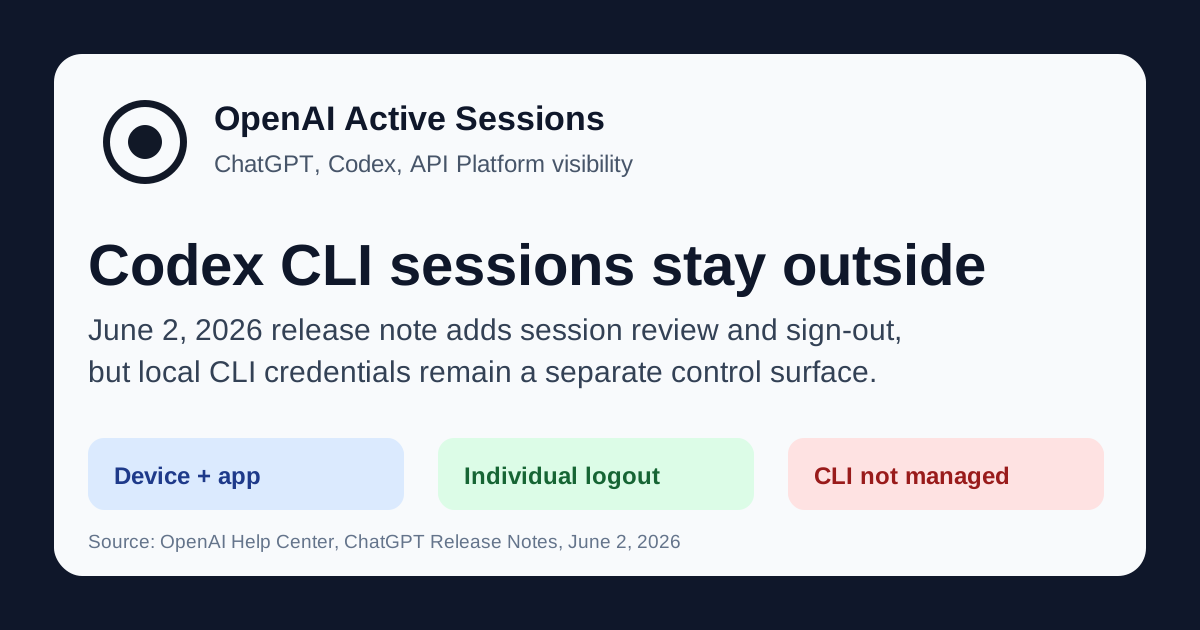
- What happened: OpenAI added
Active sessionsto ChatGPT on June 2, 2026.- Users can review device, app, approximate location, sign-in time, and sign out of individual sessions from Settings > Security.
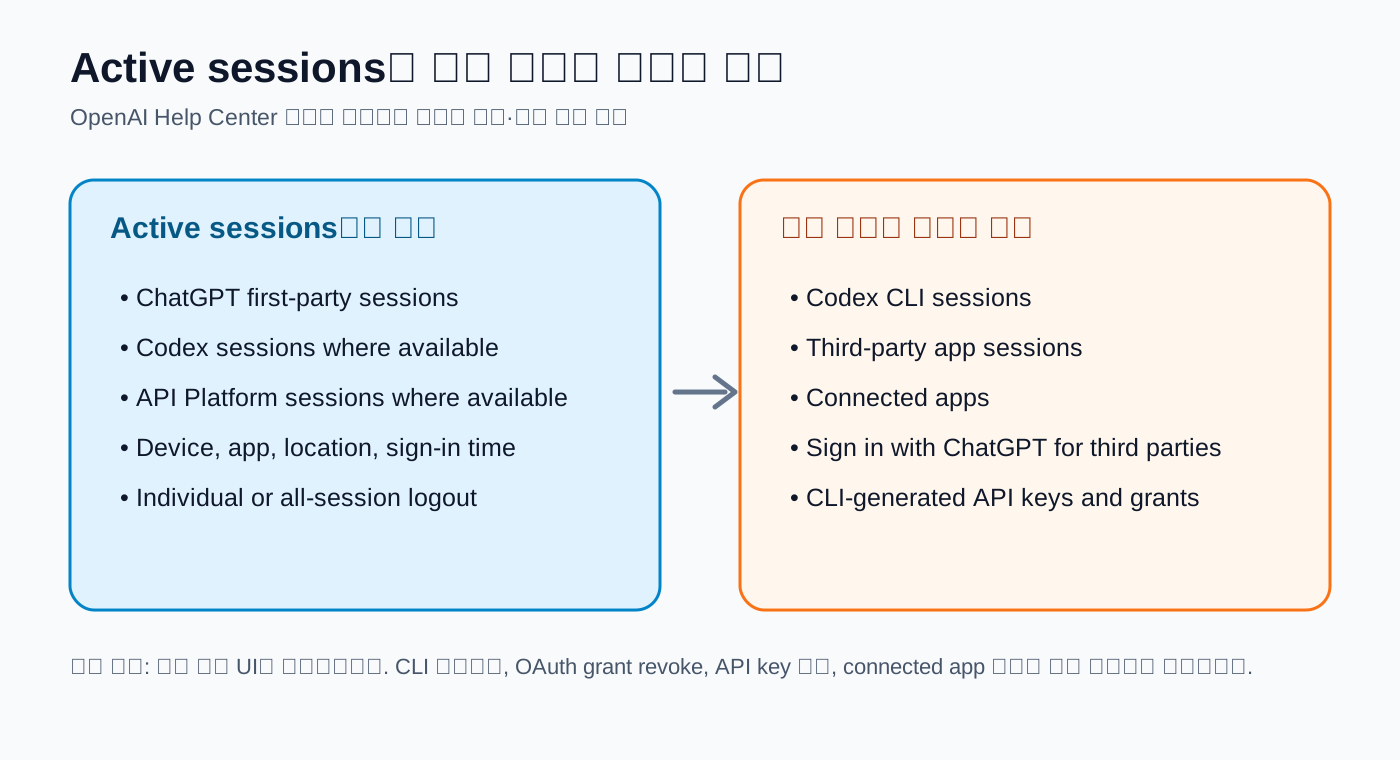
- Boundary: The view covers ChatGPT, Codex, and API Platform sessions where available, but excludes
Codex CLI sessions. - Builder impact: Teams running coding agents need separate controls for session UI, CLI credentials, OAuth grants, and API keys.
- Connected apps and third-party Sign in with ChatGPT sessions are also outside the logout button in this screen.
OpenAI added Active sessions to the ChatGPT release notes on June 2, 2026. The new screen lets users open Settings > Security > Active sessions, inspect first-party OpenAI sessions, and sign out of an unfamiliar device one session at a time or across sessions. OpenAI says the view can show device, app, approximate location, sign-in time, trusted-device status, and whether the row is the current session.
For a normal ChatGPT user, that reads like a familiar account-security feature. For a development team using Codex, it marks a more specific operating boundary. In the same release note, OpenAI says Active sessions includes ChatGPT, Codex, and API Platform sessions where available. It then names what the feature does not manage: third-party app sessions, connected apps, Sign in with ChatGPT sessions used on third-party services, and Codex CLI sessions. The products share one OpenAI account experience, but logout does not have one universal edge.
That caveat matters because Codex is no longer a single web surface. OpenAI's help article on using Codex with a ChatGPT plan says Codex is included with ChatGPT Plus, Pro, Business, and Enterprise/Edu, and is available for a limited time on Free and Go. The same documentation places the Codex app, Codex CLI, IDE extension, and Codex web inside the same starting path. A ChatGPT subscription, API Platform access, local coding agent, and cloud-delegated task can now sit behind one account relationship.
The more those surfaces converge, the less useful a simple "log out of the account" mental model becomes. Ending a ChatGPT browser session is not the same operation as removing credentials from a local coding agent. Codex CLI runs in a terminal, reads files, writes patches, and can propose or execute shell commands depending on the approval mode. OpenAI's CLI getting-started documentation separates Suggest, Auto Edit, and Full Auto; in Full Auto, the tool can write files and run commands inside a sandbox. A stolen account or lost laptop response has to treat that surface as more privileged than a passive chat tab.
OpenAI's existing logout help article already splits the control plane. It says ChatGPT's Log out all immediately signs out the current session, while other active ChatGPT sessions can take up to 30 minutes to close. For API Platform, the Security tab's Log out all closes active API Platform sessions across devices immediately. The phrase "log out all" appears in both places, but timing and location differ between ChatGPT and API Platform.
Active sessions narrows part of that gap by putting more first-party OpenAI session visibility into ChatGPT. A user who lost a laptop, left a public machine signed in, or forgot which device had a Codex app session open now has an obvious first checkpoint. If Codex app and API Platform sessions appear next to ChatGPT sessions, developers have to treat OpenAI login less like a chat account and more like a development-tool account.
The exclusion list in the release note should go directly into team runbooks. If Codex CLI sessions are not managed by Active sessions, then a user can clear unfamiliar rows in ChatGPT's security UI while CLI state remains elsewhere. OpenAI's Codex CLI and Sign in with ChatGPT help article describes the split: ChatGPT session tokens and CLI-generated secret keys are separate, and revoking one does not automatically remove the other. Operators may need to disconnect an OAuth grant and delete keys.
This is the step many SaaS incident-response checklists miss. Administrators often begin with "log out of all sessions," "reset password," and "re-enroll 2FA." Coding agents add local credential storage, ~/.codex or operating-system keychains, CLI-generated API keys, OAuth grants, GitHub connections, and workspace app permissions. Active sessions helps find unfamiliar first-party sessions; it does not collect every automation credential left on a developer machine.
OpenAI's enterprise Codex documentation points in the same direction. In Business and Enterprise/Edu workspaces, plugin access follows workspace app controls, and admins or owners can use Workspace settings > Apps to disable apps or configure action permissions. Enterprise/Edu admins and owners can also use RBAC to grant Codex access to specific user roles. Those controls do a different job from the Active sessions logout button. One cuts off current sign-in state; the other reduces future capability.
Compliance API is another separate axis. OpenAI says Codex usage, local clients such as CLI and IDE extension, and web or cloud-delegated usage can be available in the Compliance API. That log surface answers a different question from the session list. Active sessions asks which OpenAI surfaces are currently signed in. Compliance review asks what Codex activity happened, such as whether a departing employee used Codex CLI last week, whether a cloud-delegated task ran during a suspicious window, or whether IDE extension use and web Codex use were mixed.
Connected services create one more split. Codex documentation says ChatGPT and Codex conversations remain separate, but some settings and connected services can carry over. One example is Google Drive: connecting it in ChatGPT can make it available in Codex. A user may think chat history and Codex tasks are separated by product boundary, while the app permission travels across surfaces. That is why OpenAI explicitly says connected apps are not managed by Active sessions.
| Review item | Visible in Active sessions | Separate action |
|---|---|---|
| ChatGPT first-party sessions | Device, app, sign-in time, current session | Sign out individually or across sessions when needed |
| Codex app and web sessions | Included where available in the session list | Review RBAC, Codex Local/Cloud controls, and Compliance API |
| Codex CLI | Release notes explicitly exclude it | Run CLI logout, remove local credentials, revoke OAuth grants, and delete API keys |
| Connected apps | Not managed here | Disconnect apps and audit workspace app permissions |
Development teams should separate those four rows in incident response. First, use the ChatGPT security screen to remove unfamiliar sessions. Second, review API Platform active sessions and API keys separately. Third, clear local credentials and OAuth grants on developer machines that have Codex CLI installed. Fourth, inspect connected apps such as Google Drive, GitHub, Outlook, or Gmail and review workspace-level app controls. In a team where one person uses ChatGPT, API Platform, Codex CLI, and the Codex app, those steps belong in the same ticket.
This release is also larger than account-takeover hygiene. Codex can run long tasks, and its desktop app and IDE extension work against local project context. OpenAI's May 29, 2026 Codex update mentioned Windows Computer Use, remote control for Windows, and usage profiles. In that structure, the Windows machine remains the host for project files, shell, app server, and local context, while a user can check progress or steer work from ChatGPT mobile or Codex on a Mac. A session list starts to look like a map of active work surfaces, not just a browser-login inventory.
Usage management sits behind the same account boundary. OpenAI's Codex plan article says Codex, ChatGPT for Excel, and Workspace Agents count toward agentic usage limits. A small script or simple function may use only part of an allowance, while a large codebase and long-running task can consume much more per message. Active sessions does not provide a cost audit, but an unfamiliar device or old app session is a reasonable starting point when investigating unexpected agentic usage.
For individual developers, the practical workflow is narrow. If you use one OpenAI account across several devices, open Active sessions and check unfamiliar apps, devices, and approximate locations. If you have used Codex CLI from a terminal, do not assume the ChatGPT security page cleaned everything up; separately check CLI logout state, local credential files, the operating-system credential store, and API Platform keys. If you connected apps such as Google Drive or GitHub from ChatGPT, review them with the assumption that some permissions can carry into Codex.
For enterprise admins, the better question is not "is the user logged in to OpenAI?" It is "which surface can this user operate, and with what permissions?" Codex Local covers CLI, IDE extension, and app local workflows. Codex Cloud covers delegated cloud tasks. Remote Control permission may be required when one Codex client connects to and steers a local app environment from another client. Active sessions does not replace that permission model. Treating logout and authorization as the same control leaves gaps during employee offboarding and incident response.
Community discussion around this specific Active sessions release is still limited. As of June 3, 2026 KST, there was little visible Hacker News or GeekNews discussion centered on the feature itself. Reddit and Codex-adjacent posts, however, keep surfacing questions about CLI login, refresh tokens, model support, session-token usage, and authentication issues solved by logout and login cycles. The signal is less a verdict on OpenAI's new UI and more evidence that developers already experience Codex sessions as an operational object.
The value of this update is real: OpenAI has expanded session visibility across more of its product family. ChatGPT-only users get a better lost-device response. Developers using Codex and API Platform get a shared starting point for first-party OpenAI session review. The release note's exclusions are just as important as the feature itself. Codex CLI, connected apps, and third-party Sign in with ChatGPT sessions are not covered by the same screen.
OpenAI did not ship a complete enterprise session-management console on June 2, 2026. It shipped a ChatGPT account-security screen that has started to include parts of the coding-agent era. Development teams should now update their runbooks with separate entries for Active sessions, API Platform logout, Codex CLI credential removal, OAuth grant revocation, connected app disconnect, and Compliance API review. Once an agent can touch files and terminals, one logout button is no longer enough to recover every permission.