Copilot app expands with canvases for agent work
GitHub expanded the Copilot app technical preview with canvases, worktrees, browser validation, cloud sessions, and new cost questions.
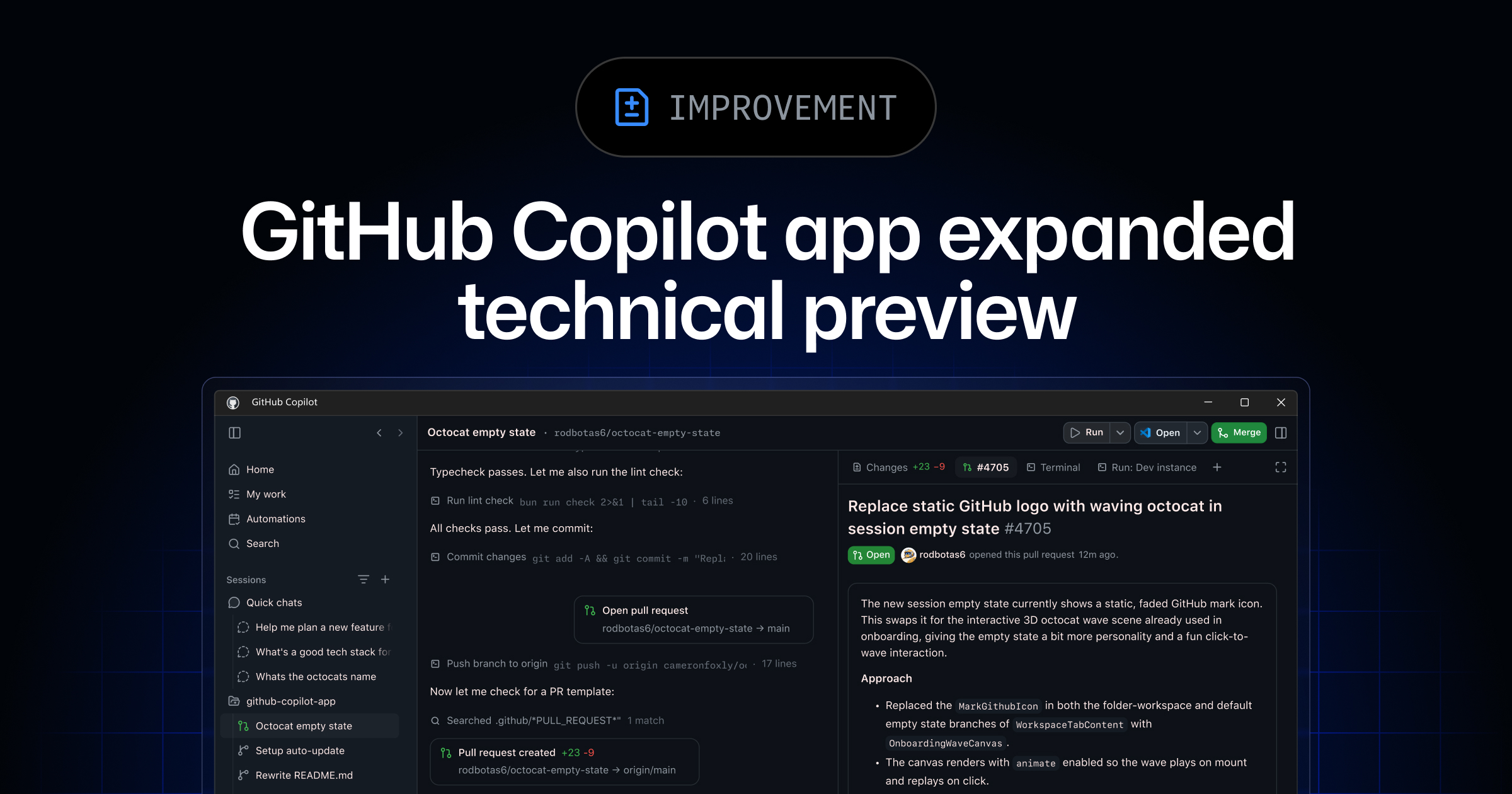
- What happened: GitHub expanded the
Copilot apptechnical preview on June 2, 2026.- The latest Changelog says existing Copilot Pro, Pro+, Business, and Enterprise customers can access the desktop app.
- The headline addition is canvases, shared work surfaces where humans and agents edit the same task object.
- Builder impact: Agent sessions move from chat transcripts into issue, pull request, worktree, browser, and terminal loops.
- The app combines parallel sessions, Agent Merge, MCP, skills, cloud sessions, scheduled automations, and browser validation in one surface.
- Watch: The feature is still a preview, and it arrived one day after Copilot usage-based billing went live.
GitHub announced a wider technical preview for the Copilot app on June 2, 2026, as part of its Microsoft Build 2026 product wave. The latest Changelog says existing Copilot Pro, Pro+, Business, and Enterprise customers can download the Copilot app for Windows, macOS, and Linux. Copilot Free users and people who do not yet subscribe to Copilot are directed to a waitlist. In the same announcement, GitHub named canvases as the release's headline addition.
This is not just another coding assistant window. GitHub describes the Copilot app as a desktop surface for starting agent sessions from issues, pull requests, prompts, and previous sessions. Each session can run in its own git worktree and branch. The developer reviews the plan and diff, then validates the work through an integrated terminal and browser. In its product blog post, GitHub says developers now make more than 1.4 billion commits per month on the platform and use more than 2 billion GitHub Actions minutes per week. GitHub uses those numbers to frame why agentic workflows need a new operating surface.
Canvases sit opposite chat in that design. GitHub calls a canvas a bidirectional work surface for people and agents. The agent updates the canvas while it works. The developer can edit, reorder, approve, and redirect from the same surface. GitHub's examples include plans, pull requests, browser sessions, terminals, release checklists, migration boards, incidents, spreadsheets, dashboards, cloud consoles, and workflow state. Instead of reading logs buried in a conversation, the task object itself becomes shared state between the developer and the agent.
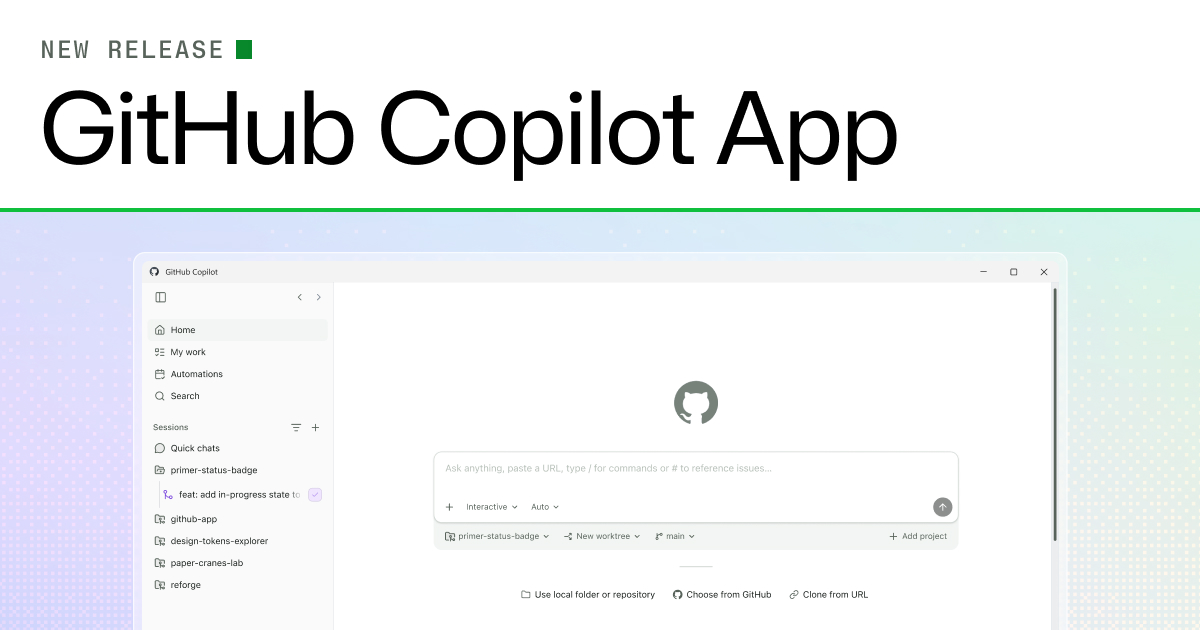
GitHub also frames canvases as the start of "agent experience," or AX. The phrase matters because it shifts product design away from only the human user interface. AX asks how a human and an agent share authority, state, and allowed actions on the same screen. The agent reads canvas state, takes structured actions, and writes the result back into the surface. The app connects the canvas to real artifacts or runtime state and restricts which actions are allowed. In that model, product design is not only about prompt quality. It is about which object the agent is allowed to manipulate.
The June 2 announcement is easier to understand when compared with the first Copilot app technical preview on May 14, 2026. The May announcement described a GitHub-native desktop experience, issue and pull request based session starts, branch and file isolation per session, plan and diff review, terminal and browser validation, and Agent Merge. The June update widens availability and adds canvases, voice conversations, cloud sessions, cloud automations, CLI session integration, agentic browsing, and /chronicle. The product moves from a way to call an agent once into a desktop control center for managing multiple agent tasks.
GitHub's own documentation still carries preview caveats. GitHub Docs says the Copilot app is a technical preview and may change. The same docs page describes Business and Enterprise availability and Pro or Pro+ waitlist access, while the June 2 Changelog says existing Pro, Pro+, Business, and Enterprise customers now have preview access. That mismatch is not unusual during a rollout, but it matters for teams. Before treating the app as generally available inside an organization, administrators should check preview feature settings and Copilot CLI policy for their actual plan.
| Surface | GitHub description | What teams should verify |
|---|---|---|
| Session | Starts from an issue, pull request, prompt, or previous session | Owner, model, repository scope |
| Worktree | Isolates each session by branch and file state | Cleanup, conflicts, local policy |
| Canvas | Lets agents and humans edit the same work object | Approval rights, change history, evidence |
| Validation | Uses terminal, browser, diff, and Agent Merge | Required tests, reviewers, merge conditions |
| Automation | Runs scheduled agent work in the cloud | AI Credits, trigger frequency, tool scope |
The first immediate developer change is parallel sessions. GitHub says the Copilot app can run multiple agent sessions at the same time, with each session placed in its own git worktree and branch. Developers who already use CLI agents know the operational pain here: branch collisions, uncommitted diffs, terminal state, and stale local changes. Copilot app tries to absorb that state into a session model. That is a convenience feature, but it also means the session lifecycle becomes a GitHub-managed product object.
Agent Merge is the other end of that lifecycle. GitHub's product blog says Agent Merge can respond to review comments, fix failing checks, and wait until merge conditions are satisfied. Those are different risk levels. "Make CI green again," "address reviewer feedback," and "merge when conditions pass" should not share one policy in a production repository. Security-sensitive code, payment flows, authentication logic, and data migrations still need conventional pull request review plus explicit test gates.
Agentic browsing changes the app's character as well. The Changelog says the agent can drive the integrated browser by clicking, typing, and taking screenshots to verify UI changes end to end. For frontend work, that narrows the gap between "the code changed" and "the screen works for a user." The operational boundary is just as concrete. Browser driving can reach external sites, staging credentials, and test data. Teams should separate allowed URLs, accounts, and test fixtures by session instead of assuming the browser is only a preview pane.
Voice conversations look like a convenience feature, but they touch enterprise policy. GitHub says the app uses on-device speech-to-text for voice conversations, so audio does not leave the machine. The same release wave refreshed Copilot CLI voice input and described downloading a runtime and speech-to-text model on first use. Regulated environments should review both claims: where audio is processed, and where local speech model artifacts are downloaded and stored.
The /chronicle command is a smaller feature with an operations signal. GitHub says it searches Copilot agent session data, including sessions the user is not currently viewing. When agent work scales, a longer chat history is not enough. Developers need to ask which session touched a file, referenced a pull request, or ran a command. /chronicle shows agent session history moving from private conversation logs toward searchable engineering operations data.
The timing puts cost into the same conversation. GitHub moved every Copilot plan to AI Credits and usage-based billing on June 1, 2026. It also said Copilot code review in private repositories consumes GitHub Actions minutes as well as AI Credits. One day later, GitHub announced cloud sessions and cloud automations in the Copilot app wave. Repeating agent work can spend tokens without a human pressing run each time. A rollout plan for the app therefore needs feature evaluation and budget ownership in the same document.
Reddit's r/GithubCopilot discussions around June 2 show the same concern from the user side, though they should not be treated as representative data. One thread asked why developers should stay with Copilot beyond GitHub itself and free benefits, while comments pointed to VS Code integration, GitHub Actions and Cloud Agents, targeted context, and model provider choice. Another thread argued that a single 2026 prompt may include repository scanning, documentation retrieval, knowledge base search, tool invocation, workflow coordination, and large-context reasoning. That observation matches the product direction. Copilot app canvases, browsers, terminals, and automations all increase the amount of work attached to one user request.
The competitive context includes OpenAI Codex, Claude Code, Cursor, Google Antigravity, and JetBrains AI. Codex and Claude Code are strong around local workspaces, terminal loops, and agent execution. Cursor combines chat and diffs inside the editor. Antigravity leans on the Google account and Gemini ecosystem. GitHub Copilot app's differentiator is the repository object model. For teams already using GitHub as the development system of record, issues, pull requests, branches, checks, Actions, and review rules are already the objects an agent needs to work on.
That advantage comes with a lock-in question. As Copilot app becomes more useful, more agent state moves into GitHub's control plane: session data, canvas state, Agent Merge decisions, automation owners, and AI Credits usage. Teams that already run development operations in GitHub may see that as a natural consolidation. Organizations using multiple forges, self-hosted Git, separate CI, or internal approval systems should ask where they want agent operation records to live before they evaluate only the desktop app experience.
Canvases may also reshape human review. Until now, reviewing an agent's work often meant reading a chat transcript, generated diff, and test log separately. If a canvas shows the plan, pull request, browser session, and terminal state as one manipulable object, a reviewer can reach a decision faster. The canvas still does not replace review. The reviewer still needs to inspect diffs, test results, permission changes, dependency updates, and migrations. The value of the canvas is gathering evidence, not turning evidence into approval automatically.
The sandbox story belongs beside the app announcement. GitHub's product blog says agents need a bounded place to execute code, inspect results, and iterate without touching production. The local sandbox restricts filesystem, network, and system capability access. The cloud sandbox is a GitHub-hosted, isolated, ephemeral Linux environment. As agentic browsing and terminal validation become more common inside Copilot app, sandbox policy becomes a default operating requirement rather than optional hardening.
Teams can reduce the rollout checklist to five decisions. First, preview access: check both the latest Changelog and Docs, then confirm Business or Enterprise preview features and Copilot CLI policy. Second, session policy: decide which repositories allow parallel sessions and who cleans up worktrees. Third, canvas review rules: separate what can be approved on a canvas from what requires a normal pull request review. Fourth, browser and terminal permissions: restrict which hosts an agent can visit and which commands it can run. Fifth, cost budget: record cloud session and automation triggers, model choices, and billing owners.
GitHub's June 2 Copilot app update is less a "desktop app release" than an attempt to make agent work inspectable as work. Developers cannot manage quality at scale by reading ever longer agent chat logs. GitHub's answer is to bind issues, pull requests, worktrees, terminals, browsers, and automations into sessions and canvases. If that structure works, the next team discussion will not start with better prompts. It will start with permissions, costs, validation, and audit records.