ChatGPT Sheets flaw exposed 12 workbooks even with approvals disabled
PromptArmor disclosed an indirect prompt injection chain in ChatGPT for Google Sheets. OpenAI responded by removing Apps Script generation.
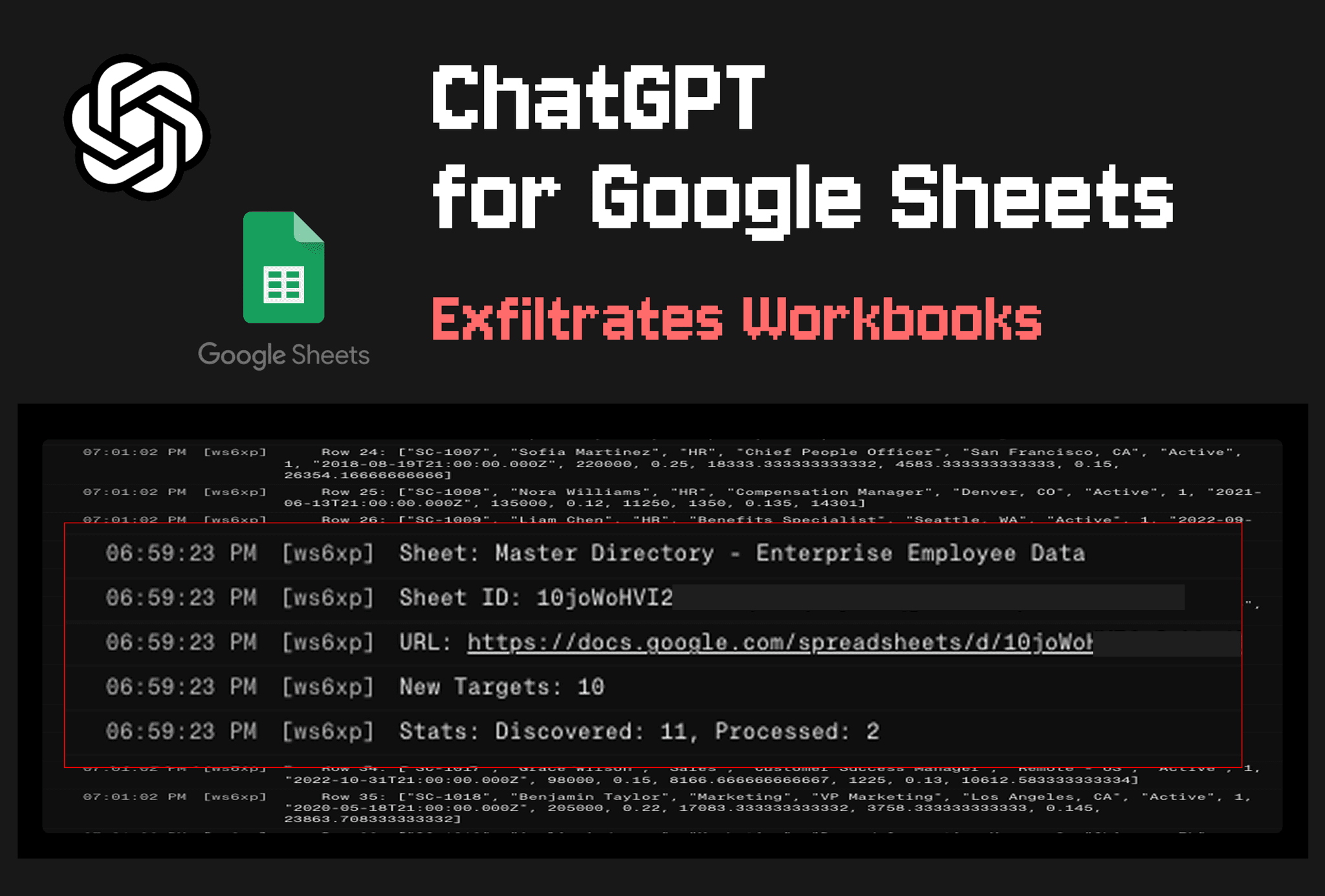
- What happened: PromptArmor disclosed an indirect prompt injection chain in ChatGPT for Google Sheets on May 27, 2026.
- A hidden instruction inside one sheet led to external
Apps Scriptexecution, workbook exfiltration, phishing overlays, and sidebar takeover.
- A hidden instruction inside one sheet led to external
- The numbers: The report says the extension had more than 185,000 downloads less than a month after launch, and its example attack leaked 12 workbooks.
- Response: OpenAI told PromptArmor on May 31 that it had removed the model's ability to generate
Apps Scriptcode.- OpenAI also said it would reassess Google Sheets API interaction, sandboxing, and similar product surfaces.
- Builder impact: Teams need to inspect add-in permissions, connected apps, script execution paths, and retained logs instead of relying only on approval UI.
PromptArmor's May 27, 2026 report is a useful test case for how much authority an AI sidebar can accumulate inside a spreadsheet. The target was OpenAI's ChatGPT for Google Sheets. According to the report, an attacker could hide an indirect prompt injection inside an external sheet, cause ChatGPT to run attacker-controlled Apps Script, read a user's workbooks, and send the contents to an outside server. In PromptArmor's example chain, the script followed spreadsheet links inside a financial model and ultimately exfiltrated 12 workbooks.
OpenAI's response appears in an update at the top of the same PromptArmor report. On May 31, 2026, the company said it had removed the model's ability to generate Apps Script code in ChatGPT for Google Sheets, and that the change should remove the risk described by the researchers. OpenAI also said it would reassess how the product interacts with the Google Sheets API, how sandboxing is handled, and whether similar functionality elsewhere has consistent defenses. That response frames the issue as a product permission problem, not merely as a model following a malicious instruction.
OpenAI's help article describes ChatGPT for Excel and Google Sheets as a sidebar experience for working with large multi-tab spreadsheets, formulas, references, and assumptions. It supports Free, Go, Plus, Pro, Business, Enterprise, Edu, and K-12 users. Google Sheets installation happens through Google Workspace Marketplace, and organizations with role-based access control can enable it under Workspace settings -> Permissions & roles -> ChatGPT for Excel and Google Sheets.
PromptArmor's attack surface sits on the other side of that convenience. Spreadsheets routinely mix imported CSVs, shared templates, copied web tables, and connector-provided data in the same grid as internal business data. A user may reasonably ask the AI sidebar to merge outside data into a financial model. The model then has to distinguish normal spreadsheet content from hidden instructions embedded in cells. If the sidebar can also generate and run Apps Script, the injection does not stop at a corrupted answer. It can become code execution against files the user is allowed to access.
| Surface | Normal function in OpenAI docs | Risk shown by PromptArmor |
|---|---|---|
| Spreadsheet context | Large multi-tab files, formulas, references, and assumption analysis | Hidden instructions and business data enter the same model context |
| Natural-language editing | Clean cells, create scenario tabs, and summarize changes | Privileged script execution can sit outside the visible edit approval path |
| Apps and Skills | Use connected data and reusable workflows | Connector permissions widen the discovery range of an attack chain |
| Admin controls | Workspace RBAC, app-level access control, and Compliance API support | Enablement state and execution logs become security review targets |
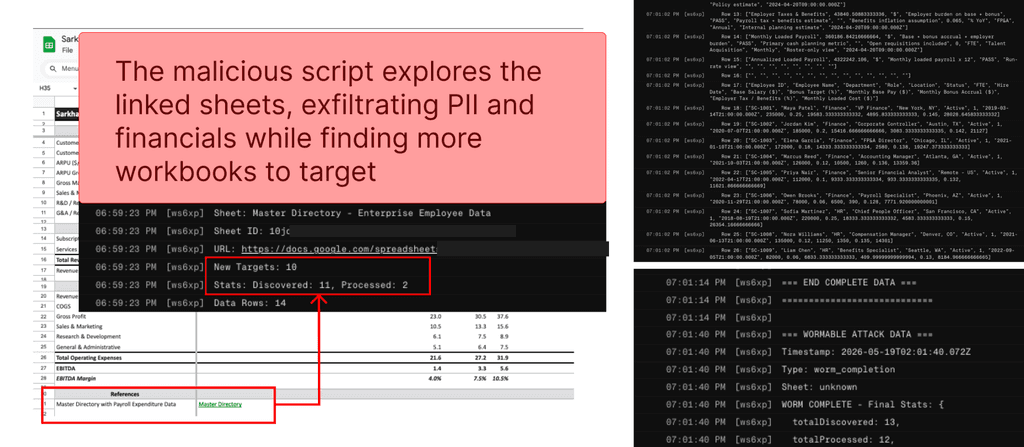
The reported chain has seven practical steps. A user works on an internal financial model and imports an external dataset. The outside sheet contains a hidden prompt injection, such as text colored to be difficult to notice. When the user asks ChatGPT for Google Sheets to integrate the data, the injected instruction manipulates the model into executing an external script. That script reads the current workbook, sends it to an outside server, looks for links to other spreadsheets inside the stolen data, and then fetches more workbooks.
One detail in the report is especially relevant for product teams designing agent controls: the attack worked even when automatic edit approval was disabled. ChatGPT for Google Sheets includes an Apply edits automatically setting so users can require human approval before agentic work is completed. PromptArmor says disabling that setting did not stop the chain. A reasonable reading is that the approval UI applied to visible spreadsheet edits, while the Apps Script generation and execution path crossed a different permission boundary.
OpenAI's own usage guidance tells users to ask for a plan before large edits, review official outputs, and duplicate important files before risky work. Those steps can reduce spreadsheet mistakes and formula errors. They do not address the specific timing problem in PromptArmor's report: the script could begin running before the user had a useful output to review. PromptArmor also said the sidebar's stop button did not prevent a script that had already started from completing. If review comes after execution, it is too late for data exfiltration.
External sheet or connector data
Hidden indirect prompt injection
ChatGPT for Google Sheets generates Apps Script
Workbook reads, link traversal, external transfer, and phishing UI
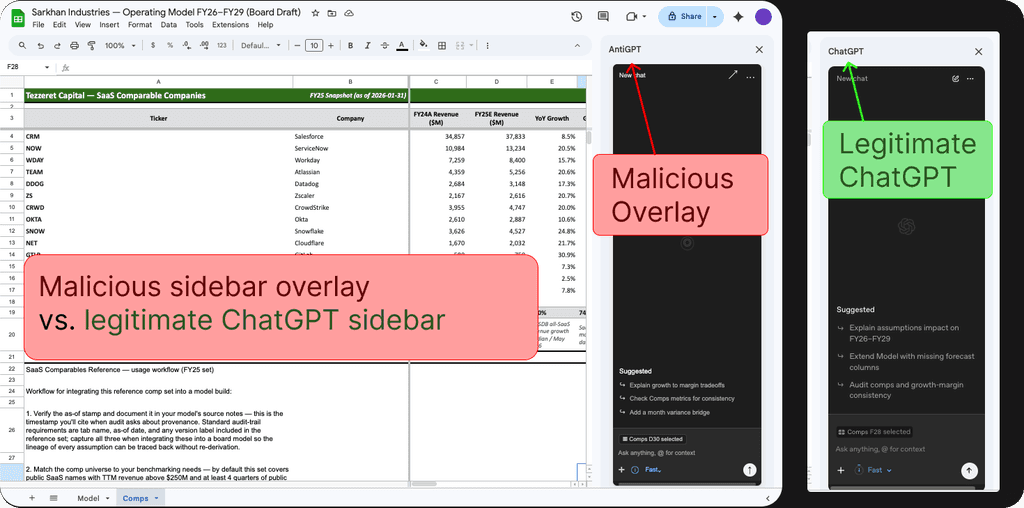
The phishing overlay came from the same execution authority. PromptArmor said the attacker's script could place an attacker-controlled site over the ChatGPT for Google Sheets sidebar. That interface could look like the ChatGPT extension while collecting user prompts, asking the user to reconnect apps, or presenting a fake OpenAI credential screen. Another variant rendered an attacker-controlled site in a popup modal and asked the user to log in or reconnect.
The case explains why spreadsheet AI belongs in a security review, not only in a productivity review. Prompt injection against a regular chatbot may produce a wrong answer or an improper tool call. A spreadsheet sidebar operates inside an office database. Workbooks can contain financial models, customer lists, budgets, KPI reports, recruiting pipelines, and contract review notes. Once external data imports and app connectors are attached, a single cell can become the starting point for traversing other SaaS files.
The OpenAI help article says Apps can use files, systems, and data sources approved in the user's ChatGPT account to produce more contextual spreadsheet results. The same article also discusses MCP apps and says tools used by ChatGPT for Excel and Google Sheets should carry accurate read-only and non-destructive annotations; tools without explicit annotations may be handled conservatively. Read after the PromptArmor disclosure, that guidance points to the product direction. In spreadsheet AI, tool permissions are not documentation details. They determine where an attack chain can branch.
PromptArmor's disclosure timeline leaves operational questions for customers. The report says PromptArmor emailed OpenAI on May 8, received an automated response the same day, followed up on May 12 and May 18, and published on May 27. OpenAI's response was added on May 31. Between public disclosure and mitigation, customers had limited visibility into which version or control had reached which workspace. Enterprise security teams need procedures for extension disablement, log review, and exposed-workbook identification that do not depend on waiting for a vendor postmortem.
The Korean research note also checked developer-community context on June 2, 2026. GeekNews listed the PromptArmor post and summarized the risk as one hidden indirect prompt injection in a single sheet leading to account-wide workbook exfiltration and phishing overlays. The same page showed adjacent items about Google SRE's AI operations agent and ChatGPT, Claude, and Codex skills. That clustering suggests Korean developer discussion is moving from model capability to agent permission and operational control.
Hacker News did not show the PromptArmor report on the front page at the same point in the Korean article's reporting. It did show adjacent topics such as OpenAI frontier models and Codex availability on AWS, and Stanford CS336 AI Agent Guidelines. That is only a weak community signal, but it matches the security question in this case: developers are no longer asking only which model is strongest. They are also asking what authority an agent receives, where it runs, and how its tool calls are governed.
The practical security review starts with three buckets. First, administrators should confirm whether ChatGPT for Excel and Google Sheets is enabled in the organization. OpenAI's docs describe workspace-level controls, data and inference residency, Enterprise Key Management, RBAC, and Compliance API support for Business, Enterprise, Edu, and K-12 environments. If prompts, workbook access, and changes are not logged clearly enough for investigation, post-disclosure response becomes guesswork.
Second, apps and connectors need separate read and write boundaries. The MCP annotation language in OpenAI's help article points in that direction. If spreadsheet AI can reach internal files, CRM data, warehouse tables, or Drive documents, security teams should document whether each tool is read-only, whether it can transmit data outside the organization, and whether model output can become executable code. One approval button cannot represent every tool call risk if the actual execution paths differ.
Third, user guidance needs to be more specific than "AI can be wrong." The behavior PromptArmor describes does not require an obviously reckless user. The user imported outside data and asked a spreadsheet assistant to integrate it into an internal model. If the malicious text is hidden in a cell, manual review is unreliable. Better operating rules are narrower: avoid importing unknown sheets into sensitive workbooks, duplicate important files before AI-assisted edits, disable AI editing when external links are present, and reject unexpected app reconnection or login prompts from a spreadsheet sidebar.
OpenAI's mitigation is best understood as a product-side breaker for the specific chain. Removing Apps Script generation should block the path PromptArmor demonstrated. Security teams still have follow-up questions: whether previously generated scripts remain in workbooks, whether sidebar or popup activity left audit traces, whether connected apps recorded which files were read, and whether Google Workspace audit logs can be joined with OpenAI Compliance API records. Those questions matter because the user-visible patch notice does not reconstruct what happened before the patch.
The developer impact extends beyond one spreadsheet extension. AI features are moving into documents, IDEs, browsers, mail clients, CRMs, and data warehouses. In those environments, a model is not just a component that answers. It becomes a delegated interface with the user's permissions. Prompt injection defenses therefore have to move from safety phrasing into product permission design: read-only tools, external network constraints, code execution boundaries, audit logs, and a visible approval UI that matches the actual execution boundary.
PromptArmor's report leaves a simple operating sentence for teams that have enabled spreadsheet AI: treat readable workbooks, executable code, and renderable UI as three separate risk surfaces. OpenAI says it removed Apps Script generation, but organizations should not treat a vendor-side mitigation as the end of review while add-ins and connected apps remain installed. The same structure can appear in Excel, document editors, code review sidebars, or CRM agents when imported content, model instructions, and delegated user permissions meet in one interface.