Copilot CLI scheduled prompts reach GA, terminal agents get a timer
GitHub added /every, /after, Rubber Duck, and local voice input to Copilot CLI. The update turns a live terminal session into a small automation surface.
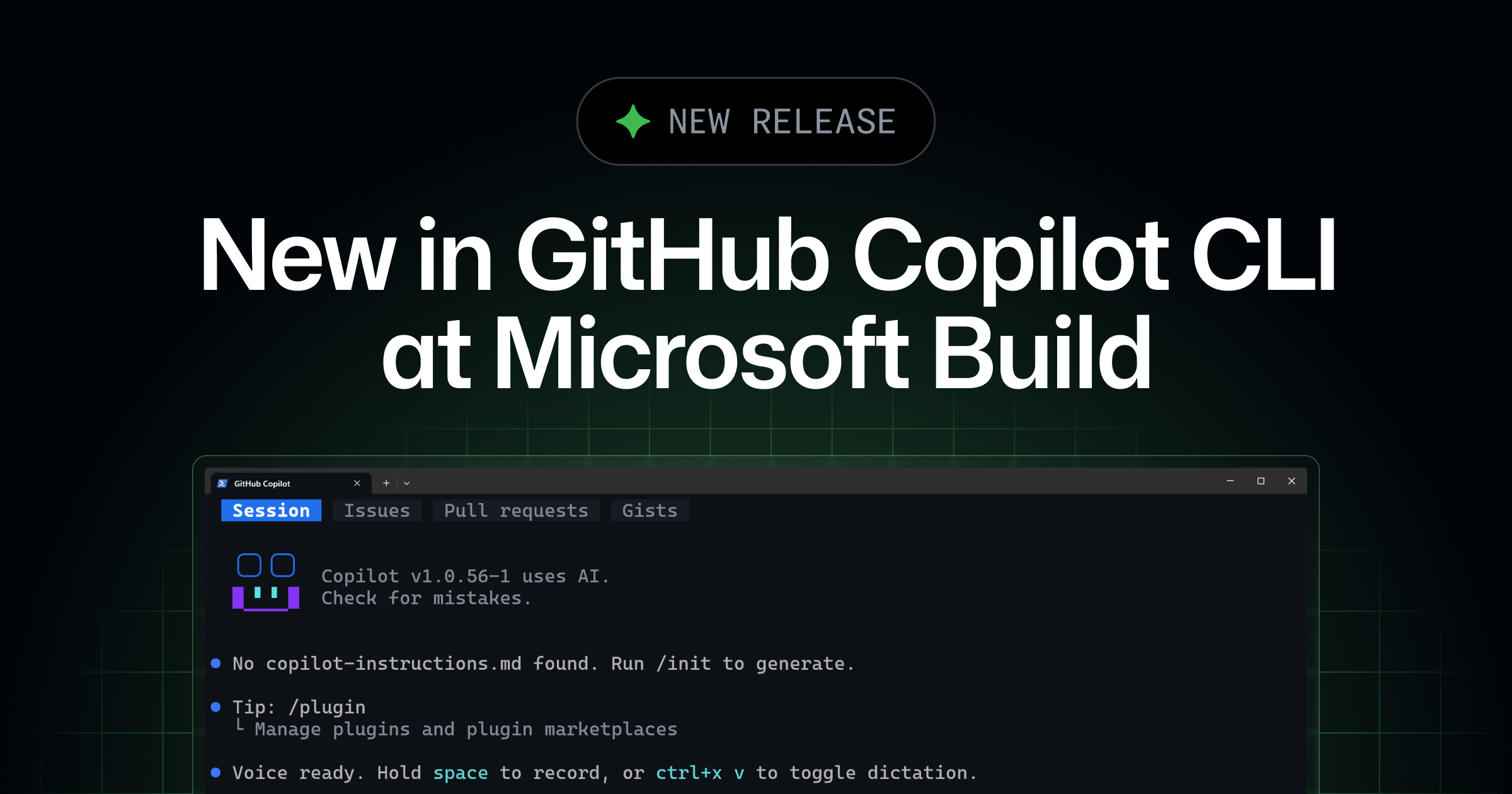
- What happened: GitHub made
/every,/after, Rubber Duck, and voice input generally available in Copilot CLI on June 2, 2026.- A new terminal UI is available through
/experimental, with tabs for sessions, issues, pull requests, and gists inside the CLI.
- A new terminal UI is available through
- Developer impact: Teams can schedule test runs, PR checks, usage checks, and delayed reviews inside an open CLI session.
- GitHub's documentation says scheduled prompts only trigger while the interactive session that created them is running.
- Watch: Rubber Duck is a critic agent, not an editor, and recurring prompts need budget, permission, approval, and repository-scope rules.
GitHub announced a Copilot CLI refresh on June 2, 2026, as part of its Microsoft Build 2026 announcement cycle. The official changelog says Rubber Duck, prompt scheduling, and voice input are now generally available. The same post introduces a new tabbed terminal experience behind /experimental. One day earlier, GitHub's usage-based Copilot billing change went live, and GitHub also expanded the Copilot app canvas. This CLI update brings the same broader agent direction into a terminal session rather than a desktop app surface.
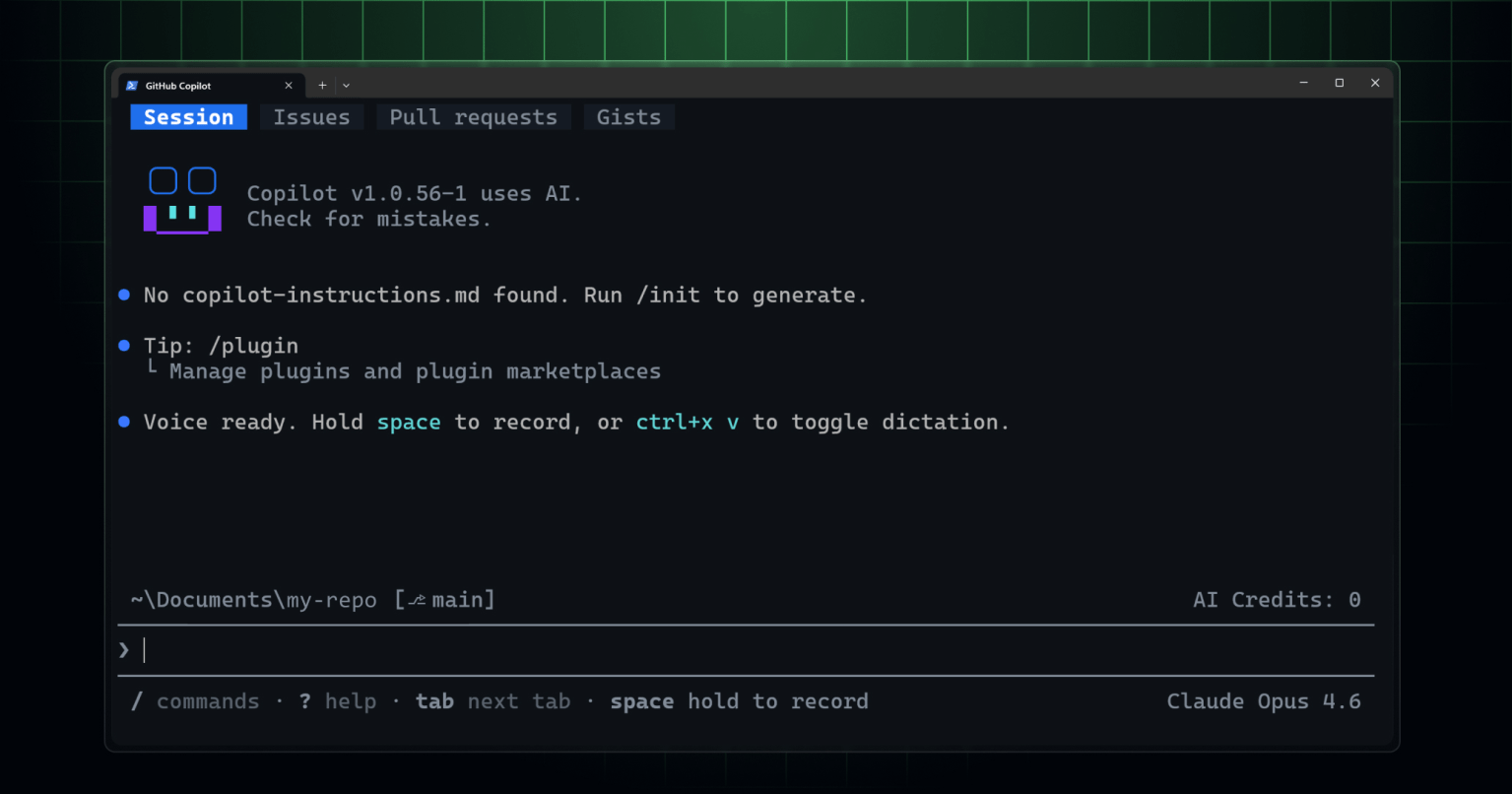
The features developers can try immediately are compact but operationally important. First, /every and /after register recurring or delayed prompts in the current Copilot CLI session. Second, the Rubber Duck agent gives a second opinion on plans, designs, implementations, and tests. Third, voice input lets users dictate prompts by holding the space bar or pressing Ctrl+X, then V. Fourth, the experimental terminal UI lets repository users switch between Session, Issues, Pull requests, and Gists with Tab. The common thread is that GitHub wants the agent to remain active for longer inside the terminal.
/every and /after are the biggest change for day-to-day operations. GitHub's changelog gives examples such as /every 30m run the frontend tests and /every 1h how many tokens have I used during the past hour. Its one-time delayed example is /after 2h /example-skills:docx create a new file summarizing recent changes to this repo. In those examples, the prompt is no longer only a question a person remembers to ask. It becomes a timer attached to the live agent session.
GitHub's scheduling documentation draws a clear boundary around that timer. /every submits a prompt at a fixed interval, while /after submits once after a specified delay and then removes the schedule entry. Supported suffixes are s, m, h, and d; a bare number is interpreted as minutes. The documented minimum interval is 10 seconds, and the maximum is one day. Entering /every or /after with no arguments opens the schedule manager, where users can view and remove active schedules.
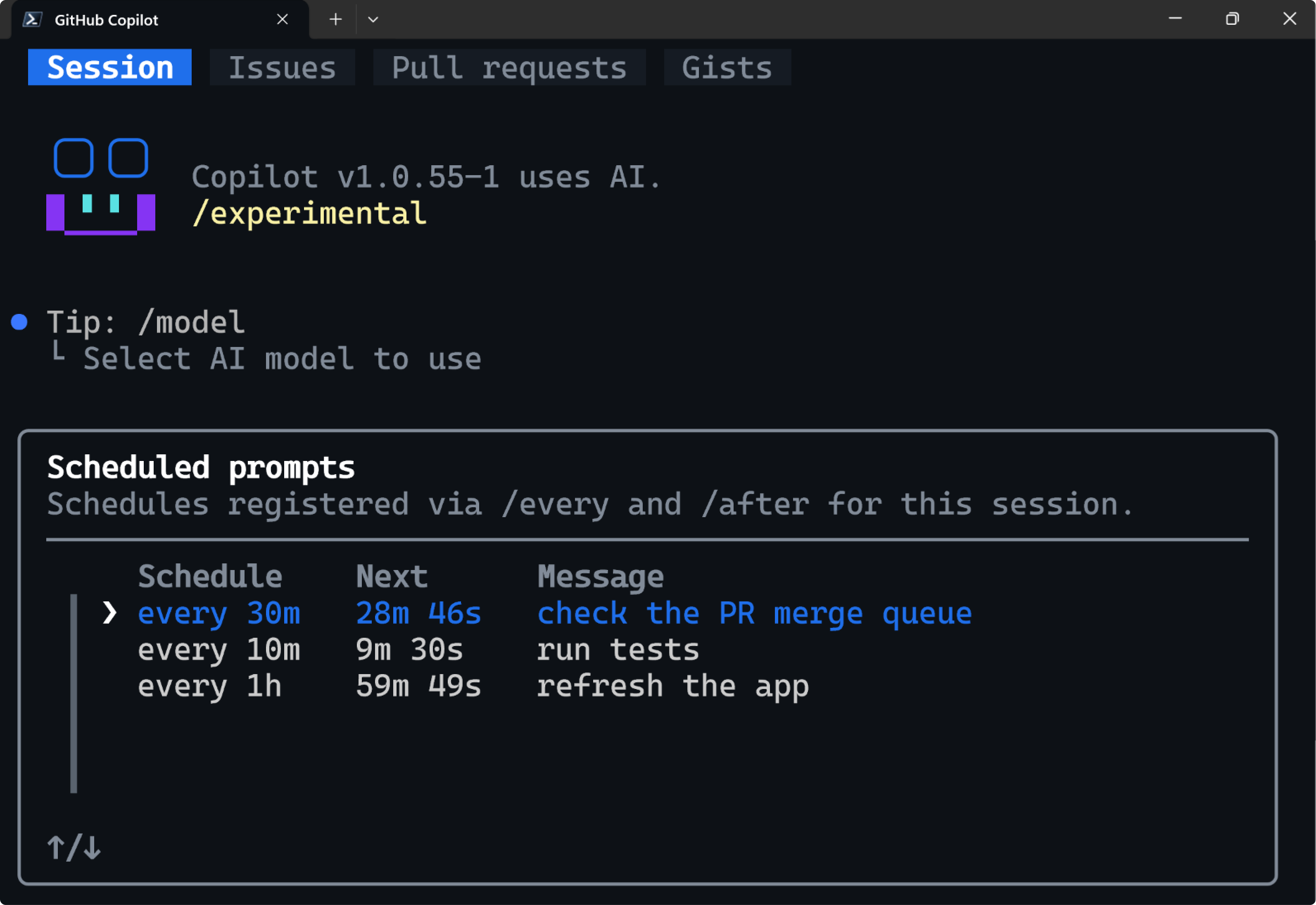
This is not a cloud cron service. GitHub's documentation says a schedule only triggers while the interactive CLI session that created it is running. If the user closes the session, the recurring work stops. When the session is reopened with --continue or --resume, schedules restart and the interval is recalculated from the reopen time. If an /after prompt did not run before the session closed, it runs after the delay in the reopened session. That makes the feature a session-scoped scheduler rather than infrastructure for unattended production automation.
The distinction matters for teams. If the task is "triage issues every weekday at 9 a.m. even if my laptop is closed," an external scheduler or a Copilot app workflow is a better fit. GitHub's programmatic CLI documentation shows a separate pattern: run copilot -p "YOUR PROMPT" from cron, Windows Task Scheduler, CI/CD, or another automation layer. If the task is "while I am working, run the frontend tests every 30 minutes and summarize new failures," session-scoped /every is more direct and does not require additional infrastructure.
Rubber Duck is a different kind of automation. GitHub's changelog describes it as a built-in CLI agent and constructive critic. The main CLI agent can hand the current plan, design, implementation, or tests to Rubber Duck. Rubber Duck then looks for blind spots, design flaws, and substantive issues, and returns concrete feedback. The user can also call it manually with /rubber-duck. The product idea is not "run the same prompt again." It is "ask a separate critic role to inspect the work before the main agent continues."
GitHub's Rubber Duck documentation adds two important constraints. The agent is designed to review proposed changes and does not directly create file changes. The main agent decides whether and how to act on the feedback. Rubber Duck is also available only when the main agent uses a Claude or GPT large language model. GitHub says Rubber Duck uses a different AI model from the one driving the session, so the second opinion is structurally separated from the main agent's current reasoning path.
That design turns a small quality gate into a product feature. Human developers often explain a plan to a colleague before a risky change, or ask for a test strategy review before opening a pull request. Rubber Duck moves a version of that habit into the CLI agent loop. It does not replace human review. Security changes, data migrations, billing logic, authentication flows, and production deploy paths still require people to inspect diffs and test evidence. Rubber Duck is better understood as a pre-PR review step that helps an agent surface weaknesses before the human reviewer sees the work.
The new terminal UI connects the agent more tightly to GitHub objects. The changelog says /experimental enables theme-aware semantic colors, responsive components that remain readable in narrow terminals, and accessibility support that activates when a screen reader is detected. Inside a repository, users can move between Session, Issues, Pull requests, and Gists tabs. If issues and PRs become visible from the same terminal where the agent reads files and runs commands, Copilot CLI starts looking less like a local assistant and more like a console for GitHub work queues.
GitHub's public github/copilot-cli repository reinforces that direction. Its README says Copilot CLI runs on the same agentic harness as GitHub's Copilot coding agent and integrates deeply with GitHub workflows. Installation options include an install script, Homebrew, WinGet, and npm. As of the Korean article's research pass on June 2, 2026, the repository showed release 1.0.59. The README listed Claude Sonnet 4.5 as the default model and said /model can switch to other models, including Claude Sonnet 4 and GPT-5.
Voice input is both an accessibility feature and a privacy-sensitive feature. GitHub's changelog says Copilot CLI supports hands-free dictation and guides the user through downloading the runtime and speech-to-text model on first use. The sensitive claim is that speech-to-text runs on device and recorded audio does not leave the machine. In regulated environments, that sentence is a starting point for evaluation rather than the end of it. Teams still need to check which runtime and model are downloaded, which endpoints are allowed, and whether shared workstations or managed devices can run the feature under internal policy.
| Feature | Official behavior | Team checklist |
|---|---|---|
/every | Submit a prompt at a fixed interval in the current CLI session | Session shutdown behavior, one-day maximum interval, recurring cost |
/after | Submit once after a delay, then remove the schedule | Delay recalculation after resume and conflicts with long-running work |
| Rubber Duck | A critic agent using another model reviews plans, code, and tests | No direct file edits and no replacement for human review |
| Voice input | On-device speech-to-text; recorded audio stays on the machine | Runtime download, endpoint policy, and shared workstation rules |
| Experimental UI | Tabs for sessions, issues, pull requests, and gists | Preview stability, terminal accessibility, and repository scope |
The announcement is hard to separate from Copilot's billing transition. GitHub said usage-based billing for all Copilot plans went live on June 1, 2026. Copilot code review can consume both AI Credits and GitHub Actions minutes. /every does not automatically imply a large bill, but it changes a manual behavior into a recurring one. A person no longer has to remember to ask the prompt each time. A live session can ask it repeatedly. That means interval, model choice, tool permission, and repository scope should be treated as budget and governance settings, not only as prompt syntax.
The security questions rise for the same reason. Hacker News previously hosted a discussion around claims that Copilot CLI executed malicious commands, with arguments about folder trust, explicit approval, and indirect prompt injection. The new scheduling feature is not a vulnerability disclosure. It does, however, change how often an approved workflow may run. If a user creates a schedule that reads the repository and runs tests every 30 minutes, approval prompts, trusted folders, MCP servers, shell-command policies, and network access become part of repeated execution rather than a one-off interaction.
GitHub's README says Copilot CLI gives users "full control" and that nothing happens without an action preview. That principle is easy to reason about during interactive work. Recurring prompts require more explicit team rules. /every 30m run the test suite is a narrow read-and-execute task. /every 30m fix any failing test and commit is a different class of instruction because it combines file writes, shell execution, Git operations, and possibly network access. The schedule is simple; the prompt boundary is where the risk lives.
Compared with competing tools, GitHub is building a terminal agent close to GitHub's own objects. Claude Code emphasizes loops, skills, and subagent patterns. OpenAI Codex has been expanding desktop and automation surfaces. Cursor and JetBrains keep much of the experience anchored in editor diffs and project context. Copilot CLI naturally connects to issues, pull requests, gists, GitHub MCP, Copilot code review, and Actions billing. That integration is useful for teams that already treat GitHub as their source of truth, but it also makes scope management more important for teams with multiple forges, external CI, and internal release systems.
Community context also matters. GeekNews captured an earlier Copilot CLI public-preview reaction that said, in effect, developers hoped it would be as useful as Claude. That comment shows where the terminal-agent benchmark sat in 2025. GitHub's June 2026 update does not answer the competition only with model quality. It adds session scheduling, a critic agent, GitHub tabs, and voice input. The product question becomes less "which model answered best?" and more "where does the agent stay, who reviews its work, and when does it run again?"
Teams that want to test the release should start with narrow tasks. The first candidate is read-only recurring awareness: /every 30m summarize new comments on my open pull requests. The second is test execution without automatic fixes: /every 30m run the frontend tests and summarize new failures. The third is delayed review: after assigning a refactor, a user can schedule /after 20m /rubber-duck review the current plan and test strategy. These examples keep the agent useful while separating observation, execution, critique, and mutation.
The risky path is to schedule automatic fixes and commits from the start. Once a recurring prompt can edit files and commit changes, the topic is no longer only Copilot CLI. It becomes release engineering. Teams need to decide which branches the agent can write to, which identity authors commits, where the workflow stops after repeated CI failures, and who pays for AI Credits or Actions minutes. The schedule manager makes prompts easier to register; it does not define the operating policy around those prompts.
Rubber Duck needs the same discipline. A critic agent can find blind spots, but it begins from the same repository snapshot and tool context as the main session. It may not know a missing business rule, a changed external API contract, a security exception, or a migration constraint unless the user supplies that context. The practical use is to ask for specific critique: "check whether this migration plan includes rollback," or "review whether these tests cover the auth boundary." Specific review criteria are more likely to produce actionable issues than a broad request for general feedback.
The signal from the Copilot CLI refresh is clear. GitHub is not treating agents as an extension of editor autocomplete. It is turning the terminal session into a place where prompts can repeat, critics can review, GitHub objects can be inspected, and voice can feed work into the agent. Developers now have to ask a more concrete question than whether to use Copilot CLI. Which recurring tasks belong inside a live terminal session, and which ones belong in CI, a cloud scheduler, or a governed workflow?
The practical conclusion from the June 2 announcement is threefold. /every and /after reduce the number of checks a developer must remember during long local work. Rubber Duck adds a model-separated pre-review step before an agent opens or updates a pull request. The experimental UI and voice input make the CLI easier to keep open as a work console. Together, these features move Copilot CLI from a question box toward a session-level automation surface. Teams should define session lifetime, prompt boundaries, tool permissions, and budget ownership before they let recurring prompts edit anything important.