From Inbox to DCF, Why Codex Is Moving Beyond Code
OpenAI Codex use cases now span inboxes, data, finance, QA, app automation, and collaboration, a sign that coding agents are becoming work agents.
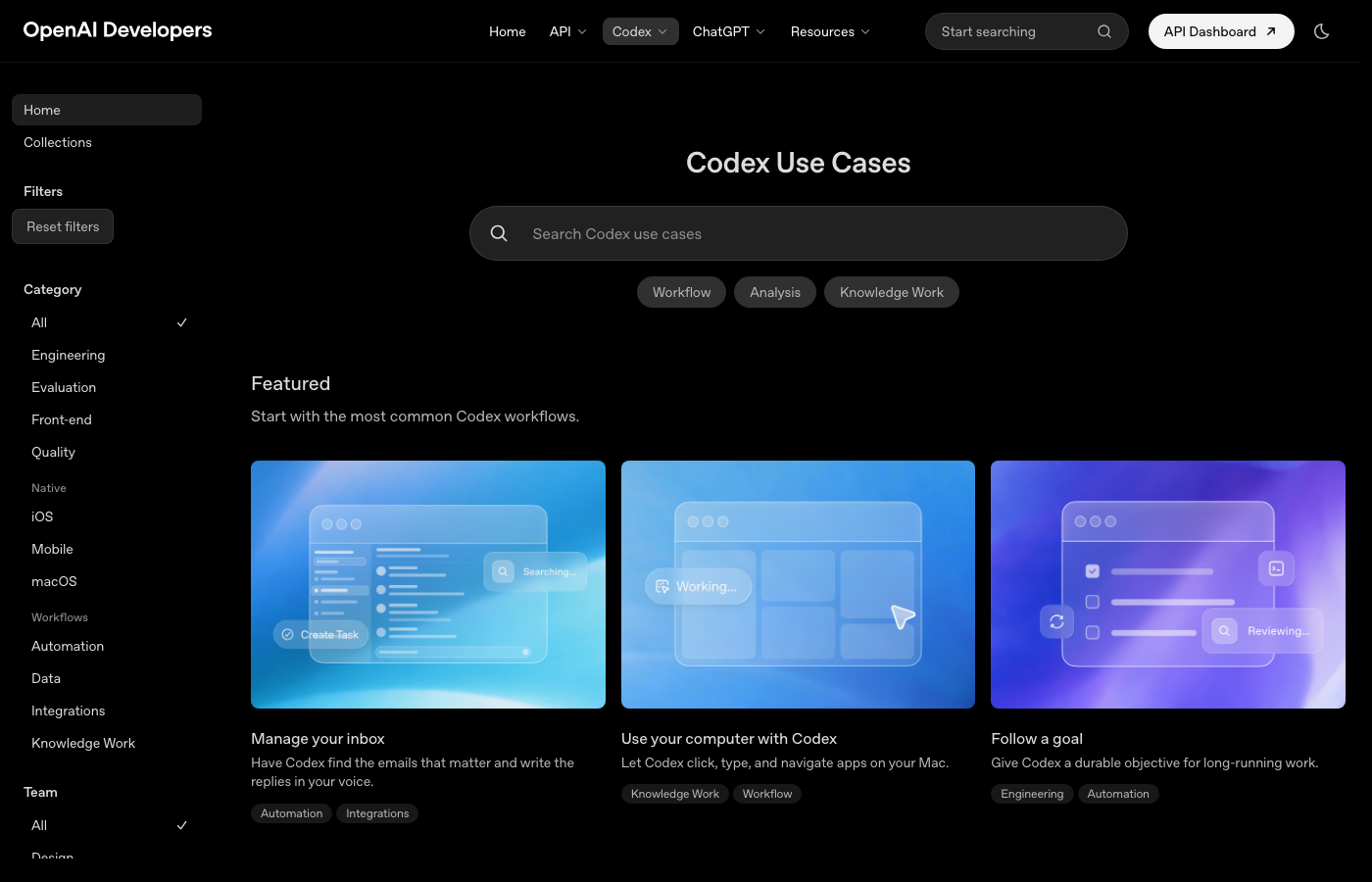
- What happened: OpenAI Developers' Codex use cases now reach inboxes, computer control, data work, finance, QA, and app development.
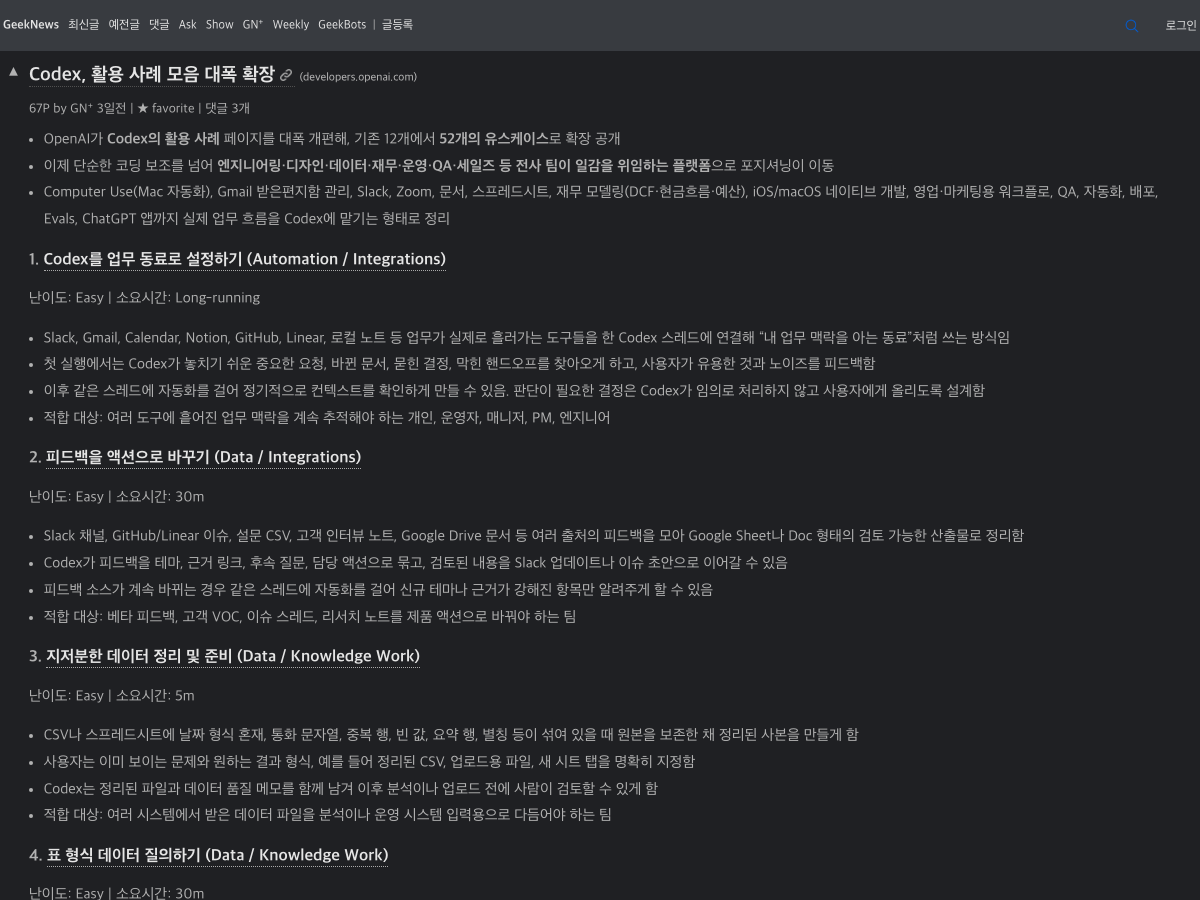
- GeekNews curated the change as an expansion from 12 examples to 52 use cases, turning a coding-agent page into a wider work-agent map.
- Why it matters: Codex is being framed less as a
code generationsurface and more as a loop for delegation, review, and operational work. - Watch: the broader the use cases become, the more teams need permissions, review checkpoints, audit trails, and clear stop conditions before automation.
- An agent that reads inboxes, Slack, documents, spreadsheets, and local apps is a productivity tool, but it is also a new security boundary.
OpenAI's Codex is quietly widening its frame again. This time the signal is not a new model release or a pricing change. It is the way the Codex use cases page now describes the product. The first screen no longer stays inside "write code." Its featured examples include inbox management, Mac app operation, and long-running goals. The collections are grouped around productivity and collaboration, web development, game development, native development, and production systems. The all-up list still includes PR review and refactoring, but it now also includes data cleanup, tabular data questions, slide deck generation, automated bug triage, new-hire onboarding, concept learning, app QA, dataset reports, meeting follow-ups, cash-flow forecasting, DCF valuation, and budget variance review.
The Korean developer community GeekNews curated the change as a major expansion of Codex use cases, summarizing it as a move from 12 examples to 52. The number itself is less important than the direction of the taxonomy. OpenAI is starting to describe Codex not as a code assistant, but as an agent surface that ties together the apps, documents, data, reviews, and approvals through which team work actually moves.
That shift becomes clearer when placed next to the recent Codex arc. OpenAI has been pushing on several questions at once: where the agent runs, what it can see, what it can remember, how it can be controlled remotely, and how far it can carry long-running work. Codex app flows, mobile remote control, Appshots, Goal Mode, locked computer use, sandboxing, memory, and the Dell on-premises partnership all point at the same underlying product problem. The use cases page bundles those pieces back into one language: Codex is no longer only a tool that writes code. OpenAI wants it to become a tool that can take on work where code is only one of the outputs.
Why would a coding agent read an inbox?
At first, the shape can look odd. Why should Codex manage an inbox, build an onboarding packet, or work on a DCF valuation? From an agent-product perspective, though, the move is consistent. Coding work already sits on top of context scattered across many tools. Fixing one bug can require a GitHub issue, a Slack thread, a Sentry alert, a customer email, meeting notes, logs, dashboards, and deployment history. Turning product feedback into code can require survey CSVs, interview notes, Linear tickets, existing PRs, and comments from owners.
That is why "set up a teammate" makes sense as a Codex use case. The pattern is to connect Codex to the tools where work already flows, ask it to find important requests, changed documents, buried decisions, and blockers, and then keep using the same thread as a recurring context check. This is not a code-generation prompt. It is an operational pattern: observe the team's knowledge work, generate candidate actions, and produce artifacts a human can review.
Inbox management belongs in the same category. Classifying email and drafting replies can sound like an old AI demo. In the Codex framing, the interesting part is not Gmail alone. It is the idea that Codex can pull recent decisions, owners, files, and blockers from Slack, Google Drive, project notes, and other work systems before drafting a response. The real question is not "can the model write an email?" It is "what work context does this email require?" In a software organization, that context quickly becomes support issues, beta feedback, customer requests, security inquiries, and release communication.
The new product boundary in the use case list
Read closely, the official page draws a new Codex boundary in three layers. The first layer is still the familiar coding-agent layer: PR review, large-codebase understanding, refactoring, documentation updates, dependency incident audits, code migrations, and eval additions. The second layer is development-adjacent operations: starting work from Slack, turning Figma designs into code, deploying apps, QA with Computer Use, dataset analysis, and automated bug triage. The third layer is closer to general knowledge work: inboxes, new-hire onboarding, meeting follow-ups, PRD drafts, event playbooks, cash-flow forecasting, DCF modeling, and budget variance review.
| Layer | Representative use cases | Product meaning |
|---|---|---|
| Code work | PR review, refactoring, code migration, documentation updates | The existing Codex strength: repository understanding and change verification |
| Development operations | Bug triage, app QA, deployment, Figma-to-code, eval additions | Repeated work before and after code becomes part of the same agent loop |
| Knowledge work | Inbox, meeting follow-ups, PRDs, onboarding, financial modeling | Team context is transformed into reviewable work artifacts |
| Execution surface | Slack, GitHub, Gmail, docs, spreadsheets, Mac apps | The agent operates inside real work tools, not just a prompt box |
This taxonomy is not the same as saying "AI now does everything." The message is more practical. Agents become useful when they can gather multiple sources and turn them into intermediate artifacts that humans can inspect. Most of the Codex examples are not framed as final send or final commit actions. They are reply drafts, reviewable documents, data-quality notes, PR review signals, QA reports, issue drafts, onboarding packets, account-plan drafts, workbooks, or plans that a person can check before execution.
That is also where Codex's origin as a coding agent becomes an advantage. A good coding agent must read files, produce diffs, run tests, interpret failures, and explain what changed. Those habits transfer to knowledge work. Keep the original source intact. Create a cleaned copy. Preserve evidence links. Produce editable documents or spreadsheets. Let the user review the result before the next action. Codex moving beyond code does not mean discarding its code skills. It means applying the same file-and-tool agent loop to other work surfaces.
The agent market is bigger than the IDE
The list also changes the competitive frame. GitHub Copilot coding agent, Claude Code, Google Antigravity, Cursor, and Windsurf all compete around IDEs, repositories, and software changes. The Codex use cases point toward a broader work-OS layer. Starting work in Slack, finding context in Gmail, converting Figma into code, cleaning Google Sheets or CSVs, manipulating PowerPoint decks, and clicking through Mac apps cannot be contained inside an editor.
OpenAI is not the only company moving in this direction. Anthropic is pushing Claude Code, Claude for work, MCP, and containment as the path for agents to connect to enterprise tools and data. Microsoft has GitHub Copilot and Microsoft 365 Copilot. Google is connecting Gemini Workspace, Antigravity, AI Studio, and Android development workflows. The difference is the starting point. OpenAI is widening Codex from "agent that writes code well" into team-work automation. Microsoft and Google start from office suites and cloud accounts, then move into developer tools. Anthropic is stitching together model behavior, MCP, enterprise partnerships, and safety design.
In that competition, model quality is only one asset. Tool connections, permission models, execution logs, review UX, organization policy, working memory, and retry loops all become product surface. "Forecast cash flow" or "model a DCF valuation" is not useful just because an LLM can explain financial concepts. The agent has to read the workbook, preserve formulas, separate assumptions from outputs, and leave an editable artifact. "QA your app with Computer Use" is not just browser clicking. It needs reproducible steps, expected results, actual results, and severity. The unit of value is shifting from the model call to the verified work artifact.
Permissions and review move to the center
As the use cases widen, the risk surface widens with them. Connecting inboxes, Slack, calendars, Notion, Google Drive, GitHub, Linear, local files, and Mac apps into one Codex thread is convenient. It also turns that thread into a powerful actor that can read sensitive personal and organizational context. It looks like a productivity tool, but in practice it is a runtime that needs access control and audit logs.
This is why the language around the use cases repeatedly emphasizes reviewable artifacts, first-run calibration, explicit approval after review, and feedback about useful signals versus noise. The picture is not an agent completing every action automatically. The safer product shape is read first, draft first, summarize candidates first, and connect execution only after a human has reviewed the result. That may be less flashy than full autonomy, but it matters far more inside enterprise workflows.
For development teams, the preparation work also changes. A repository can include an AGENTS.md file with test commands, review priorities, forbidden changes, and PR message rules. A work-automation thread needs equivalent boundaries: which apps the agent may read, which actions must stop at draft, which conditions require approval, and what output format should be left behind. Without those rules, the expansion of Codex use cases may create unpredictability faster than productivity.
Good use cases are verification loops, not just automation
If you read the Codex page only as a product announcement, it becomes a list of "now it can do this too." The more useful reading is that many examples repeat the same verification loop. When cleaning data, preserve the source, create a cleaned copy, and leave data-quality notes. When reviewing PRs, add signals about security regressions, missing tests, and risky behavior changes. When triaging bugs, make a candidate list, let a person tune what is useful, then turn the thread into a recurring automation. When running app QA, execute the flow and record the failure as steps to reproduce, expected result, and actual result.
Work context: GitHub, Slack, Gmail, docs, files
Codex draft: analysis, diff, report, workbook, issue candidates
Human review: permission check, noise removal, approval or rejection
Execution and record: PR, Slack update, document, test result, audit log
Without that loop, an agent becomes a blind automation device. With it, the same agent can become an operations tool that stabilizes repeated work over time. In the new Codex list, the key word is arguably less "agent" than "reviewable." The system produces artifacts humans can inspect, uses that feedback to improve the next run, and only promotes well-bounded work into automation.
That lens is directly relevant to AI engineering teams. The eval-addition use case turns expected application behavior into an evaluation suite such as Promptfoo. Verified operations point toward repeatable workflows whose results can be checked. Dependency incident audit turns package advisories into a repository audit plan. All three focus less on "the agent did it" and more on "how do we verify what the agent left behind?"
The bottleneck moves from models to organization design
The further Codex moves beyond code, the more the bottleneck shifts from model capability to organization design. Which tools should be connected? Which data should be off limits? Which tasks may stop at draft only? Whose approval is required before sending, scheduling, paying, deploying, or updating a customer record? Which logs are needed to explain later why an action was suggested? These questions are less exciting than benchmark charts, but they are more decisive in real adoption.
Computer Use, inbox, messaging, and meeting follow-up use cases look like personal productivity features. Inside a company, they create strong policy demands. If an agent can see and click local apps, it can also process sensitive information visible on screen. If it can read Gmail and Slack together, it can merge context across systems and infer new information. That is useful, but it can also blur existing permission boundaries.
The practical starting point should therefore not be "which use case looks impressive?" It should be "which use case has low permission, high reviewability, and clear rollback?" Large-codebase understanding, data-quality notes, PR review assistance, bug candidate lists, and action-item drafts from meeting notes are safer starting points. Sending customer email, updating CRM records, spending money, approving deployments, or changing account permissions are harder to justify as fully automated first steps.
What builders should prepare
First, turn repeated work into files and rules. Codex is strongest when inputs, constraints, output format, and verification method are clear. Repositories need AGENTS.md and test commands. Work-automation threads need forbidden actions and approval criteria. Analysis tasks need input files and expected output formats. If the agent cannot read the rules, the team will keep restating them by hand.
Second, require reviewable artifacts. A slide task should leave an editable .pptx. A data analysis task should leave a reproducible script and chart. A bug triage task should leave a prioritized table with evidence links. A PR review should explain risks at the file and line level. Natural-language summaries alone may be easy for the agent, but they make verification harder for the team.
Third, start with narrow automation. A long use case list is good news, but it does not mean every team should connect inboxes, Slack, documents, finance, and deployment systems at once. Pick one narrow repeated workflow, treat the first run as calibration, reduce noise and omissions, and only then consider turning the thread into scheduled automation. Agent maturity should be measured less by the number of connected apps and more by whether the system can stop and explain itself when it fails.
The main signal
This change does not mean Codex will suddenly replace every role. The official use cases are calmer than that. Codex can find email context, draft responses, calculate tabular data, QA an app, review PRs, edit slides or workbooks, and leave artifacts humans can inspect. That calmness is exactly why the signal matters. AI agents may enter practical work less through dramatic declarations of autonomy and more through the accumulation of narrow, reviewable workflows.
Codex handling everything from inboxes to DCF does not mean the identity of a coding agent has become vague. It means the core ability of a coding agent is valuable outside code: read files, call tools, create changes, verify results, and hand off something reviewable to a person. The next phase of agent competition may be decided less by who can generate the longest code block and more by who can convert the most real workflows into safe, inspectable loops.
For developers and AI product teams, the important thing to watch is not the flashiness of the list. It is the operating condition behind each item. Where does the original source remain? Who reviews the artifact? Where does the agent stop for approval? How long are logs and evidence retained? Only teams that can answer those questions will turn a wider Codex into a reliable work agent rather than a risky productivity shortcut.