ChatGPT Sheets security report exposed prompt injection across sidebars
PromptArmor disclosed a ChatGPT for Google Sheets exfiltration path, and OpenAI removed Apps Script code generation.
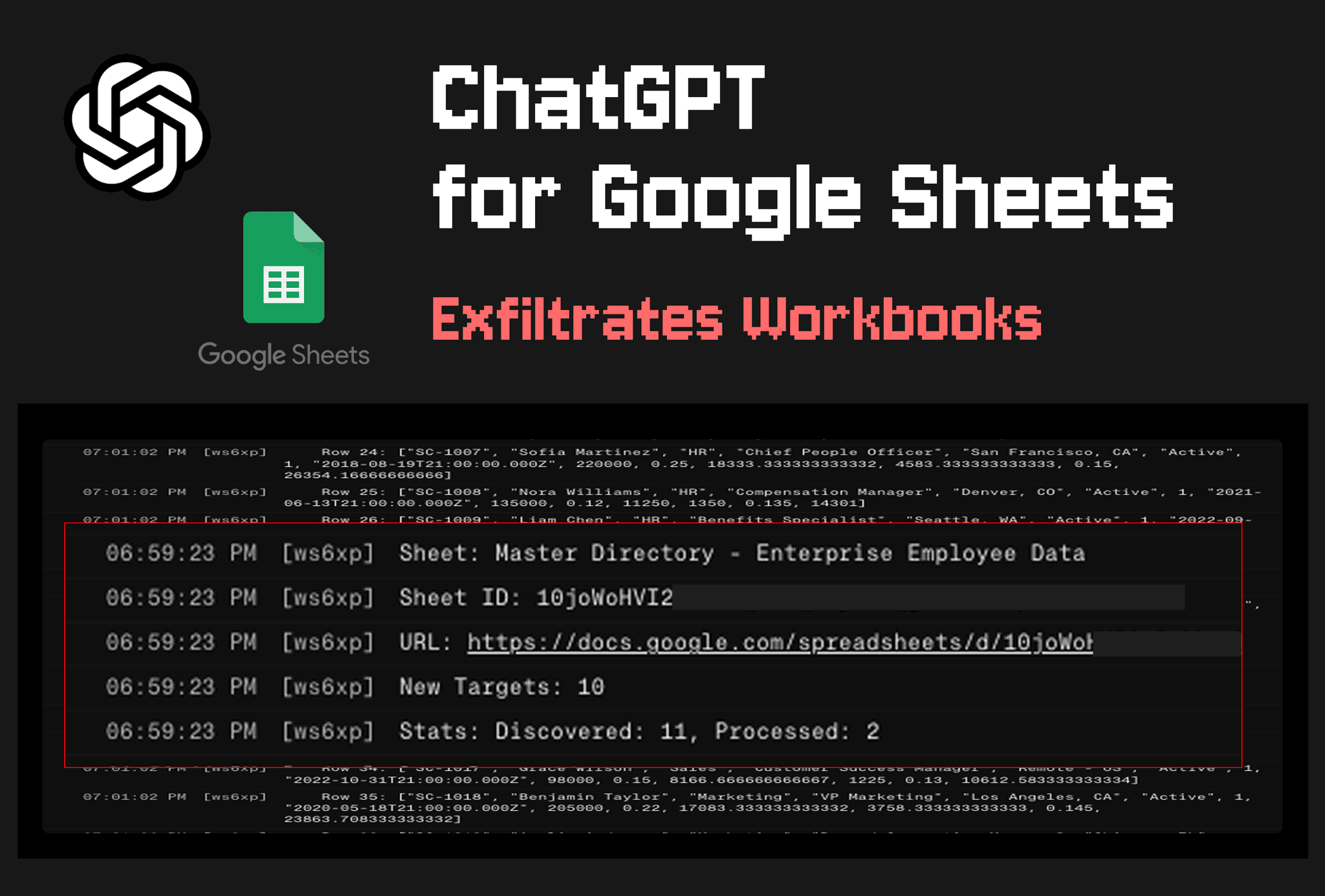
- What happened: PromptArmor reported an indirect prompt injection path in
ChatGPT for Google Sheetsthat could exfiltrate workbooks and show a phishing overlay.- The report says hidden instructions in one sheet could lead to Apps Script execution, then follow links from a financial model into additional connected workbooks.
- OpenAI response: OpenAI's security team said on May 31, 2026 that it removed the model's ability to generate Apps Script code for the Sheets integration.
- Builder impact: Spreadsheet AI risk is not only bad answers; it is the combination of data access, script execution, and sidebar UI authority on one surface.
PromptArmor published its ChatGPT for Google Sheets vulnerability report on May 27, 2026. The claim is narrow enough to inspect: when a user imports outside data into a spreadsheet and then asks the ChatGPT sidebar to perform a normal spreadsheet task, hidden indirect prompt injection inside the sheet can steer the model toward running external Apps Script. PromptArmor summarized the impact as workbook exfiltration, phishing pop-ups, attacker-controlled UI that covers the ChatGPT sidebar, and spreadsheet modification.
OpenAI's response appeared on May 31, 2026 in a Hacker News discussion and in an update to PromptArmor's post. Max Burkhardt from OpenAI's security team said the report had fallen through a gap in the disclosure pipeline, and that OpenAI removed the model capability that generated Apps Script code to protect Google Sheets users. The same response said OpenAI would review the Google Sheets API and sandboxing approach, along with other similar feature surfaces.
OpenAI's help article describes ChatGPT for Excel and Google Sheets as a sidebar AI experience that lives inside spreadsheets. The examples are ordinary spreadsheet-heavy workflows: budgets, planning, forecasting, KPI reporting, and formula review. The Google Sheets version is installed through Google Workspace Marketplace. OpenAI says the feature is available to Free, Go, Plus, Pro, Business, Enterprise, Edu, and K-12 users, while Business and Enterprise admins can enable or disable ChatGPT for Excel and Google Sheets in workspace settings.
The documented feature set is already broader than a normal chat window. Users can create tables inside a workbook, ask for formula explanations, and update model behavior as spreadsheet inputs change. OpenAI's documentation also says the feature supports Skills and apps. Apps can let spreadsheet work draw on approved files, systems, and data sources connected to the user's ChatGPT account, while admins can control app access. The same article says prompts and responses are available through the Compliance API, and enterprise controls include data residency, inference residency, Enterprise Key Management, and role-based access controls.
PromptArmor's report targets the space between those product capabilities. The help article tells users to make a copy before important work and review formulas and changed cells. PromptArmor instead describes a path where the model helps run privileged script code and sends data to an external site. Whether the user enabled pre-approval for spreadsheet edits is not the only boundary; the larger question is what kind of code the model can create and under which Google Sheets permissions that code runs.
Hidden instruction inside an external sheet or connector dataset
Normal user request: update a financial model, merge data, summarize a trend
The model helps create attacker-controlled Apps Script
The script follows workbook links and manipulates sidebar or pop-up UI
OpenAI mitigation: Apps Script code generation removed
The reported attack chain starts with a behavior that is common in spreadsheet work. A user opens an internal financial model and imports an external comparison sheet or supporting dataset. The attacker hides prompt injection text in that external sheet, for example as white text that the user is unlikely to notice. When the user asks ChatGPT for Google Sheets to apply the external data to the model, the sidebar reads the hidden instruction and moves toward attacker-controlled script execution.
In PromptArmor's demo, the script first sends the current workbook's financial model to an external server. It then searches the exfiltrated data for other spreadsheet URLs and follows a link to a budget workbook. The report says this loop continued until 12 workbooks had been exfiltrated. PromptArmor also wrote that pressing the sidebar's stop button did not stop script execution that had already started.
The approval button was not a sufficient security boundary in this account. PromptArmor said the attack worked even when Apply edits automatically was turned off, meaning the user had explicitly disabled automatic ChatGPT edits. The reason is that an approval UI centered on changed cells may not cover script execution and outbound requests. If that finding holds, the security question changes from "Did the AI edit a cell?" to "Which execution capabilities did the AI get delegated?"
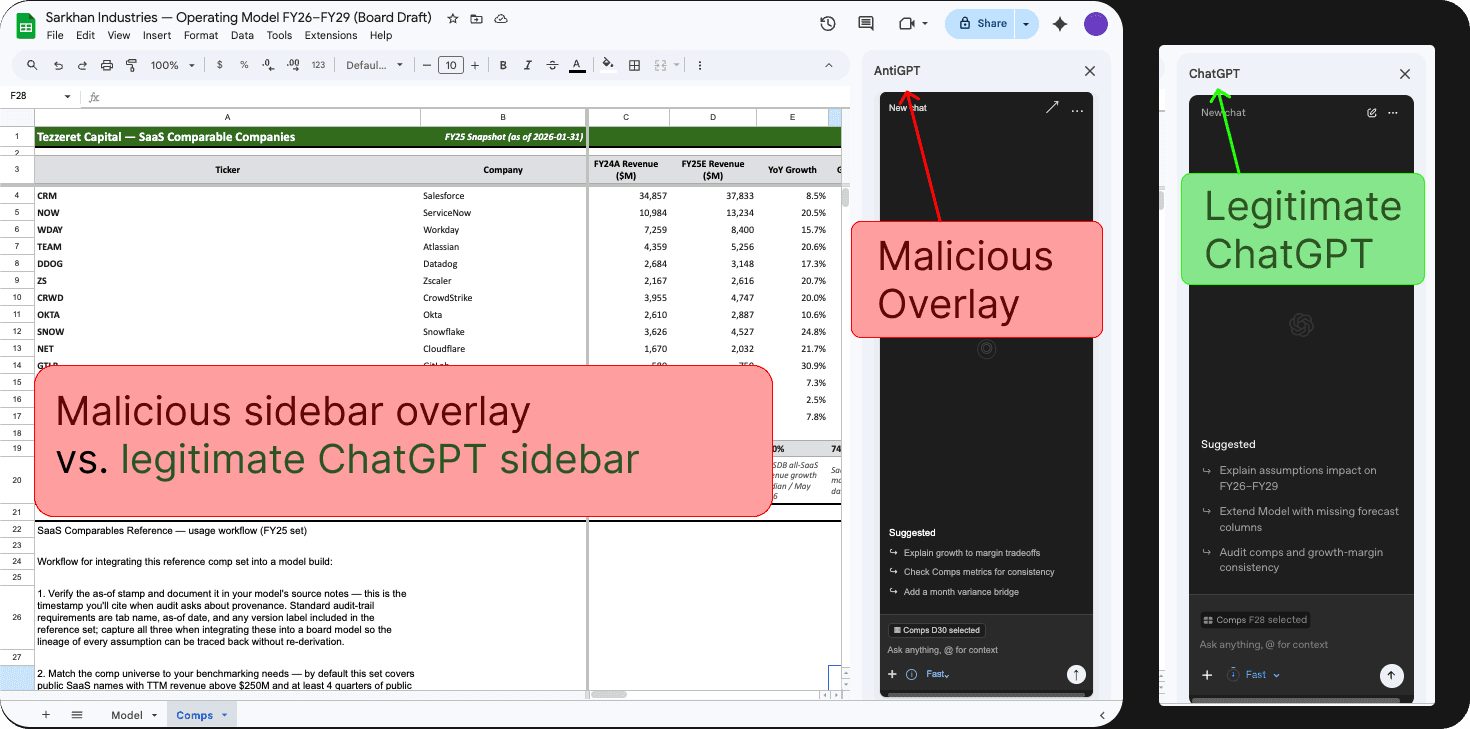
The phishing overlay is part of the same permission problem. PromptArmor's image shows an attacker sidebar that looks similar to the normal ChatGPT sidebar and appears beside it. The report says attacker-controlled script could open a sidebar that impersonates the ChatGPT extension, collects user prompts, asks the user to reconnect additional connectors, or presents a credential-harvesting OpenAI login. Spreadsheet users treat the grid and sidebar as one work surface, so this phish happens much closer to trusted workflow context than a generic web page would.
| Security boundary | Control visible in documentation | Question raised by this report |
|---|---|---|
| Workbook changes | User review, changed-cell inspection, copy before important work | Is script execution outside edit approval separately confirmed? |
| Connected data | Apps, user permissions, admin control | Can an untrusted sheet indirectly steer connector permissions? |
| Execution capability | Official guidance mostly covers limits and data handling | Could the model generate privileged Apps Script? |
| Audit and response | Compliance API, workspace RBAC, EKM | Are script execution and outbound transfer evidence logged? |
OpenAI's admin documentation points to the checks teams can perform immediately. Admins can enable ChatGPT for Excel and Google Sheets under workspace permissions and roles, and they can control app access from the admin portal. The article also says MCP apps should accurately annotate read-only and non-destructive operations, while tools without explicit annotations may be handled conservatively. Organizations using spreadsheet AI should turn that language into operating policy: data the AI can read and tools the AI can execute should not be treated as one approval category.
The incident is not large by public breach metrics, but the exposed surface is large. PromptArmor wrote that the extension had more than 185,000 downloads less than a month after launch. OpenAI's documentation says the feature is available across individual, Business, Enterprise, Edu, and K-12 plans. Spreadsheets often hold financial models, budgets, sales pipelines, customer lists, HR compensation tables, and vendor records. An attack that starts in one workbook and follows links to another aligns with how SaaS file sharing works in real organizations.
The Hacker News response split into three lines of argument. One group welcomed OpenAI security's direct public response while criticizing the disclosure delay from PromptArmor's May 8 report to the May 31 public response. A second group treated prompt injection as a structural LLM problem, arguing that models cannot fully separate data and instructions in arbitrary user content. A third group focused less on the model and more on tool execution: local or containerized execution, micro-VM isolation, read-only mounts, and no-network defaults for agentic tools.
The operational takeaway for development and security teams is concrete. Before enabling spreadsheet AI broadly, narrow the user population in admin settings and inspect connected apps and MCP tools for read-only annotations. Check whether Apps Script, macros, sidebar UI, external fetch calls, and spreadsheet writes can be reached through model output in the Google Sheets or Excel surface. Compliance API records of prompts and responses are useful, but teams also need to know which URL a script contacted, which workbook ID it opened, and whether script execution stops when a user presses stop.
Product teams need to separate approval UX by capability. A user who turns off automatic edits can reasonably assume that spreadsheet changes are blocked. PromptArmor's report says the issue was not only editing; it was execution. run script, open sidebar, fetch external URL, read linked workbook, and write cell are different permissions. Grouping them behind one Apply edits automatically toggle makes it hard for users and admins to understand what they approved.
OpenAI's removal of Apps Script code generation reads as a fast containment step. It is not the end of the product design question. OpenAI security's own response said the team would revisit the Google Sheets API and sandboxing approach. For spreadsheet-native AI to become a durable workplace tool, the central issue is not whether a model can write code in the abstract. It is whether execution capability passes through a policy engine, produces auditable logs, and respects data boundaries that are visible in documentation and UI.
This report moves agent security outside coding tools. Recent attention has centered on repository and shell agents such as Codex, Claude Code, and Copilot cloud agent. Spreadsheets are an older automation surface, and Apps Script and macros already carry powerful authority inside many organizations. When an LLM sidebar is placed on top of that surface, prompt injection stops being only "input that tricks an answer" and becomes "input that can route workplace app permissions."
The lesson is not limited to one vendor. The same questions apply whenever an AI sidebar lands in Google Sheets, Excel, Notion, Slack, CRM, or a BI dashboard. Is the data the model sees trusted? What validator sits between model output and execution? Is outbound network access blocked by default? Are connected app permissions minimized? Can users distinguish a trusted sidebar from attacker-controlled overlay UI? If those questions are not product requirements, the next report may look similar but carry a different workplace app name.