Codex Windows sandbox sets the baseline for local agent security
OpenAI’s Codex Windows sandbox design shows that local coding agent security is now an OS boundary problem, not only a model safety problem.

- What happened: OpenAI published the Windows-native sandbox design for
Codexon May 13, 2026.- The design is not just AppContainer-style app isolation. It combines a separate sandbox user, restricted tokens, ACLs, firewall rules, and a command runner for local execution.
- Why it matters: Coding agent competition is moving from benchmark scores to who can control files, network access, credentials, and audit trails on developer machines.
- Operational impact: Teams deploying Codex, Claude Code, Cursor, or similar agents need to review OS-level sandboxing and logging before defaulting to
Full Access. - Watch: The Windows sandbox provides a stronger boundary, but it also introduces setup, ACL, Microsoft Store path, and enterprise policy complexity.
OpenAI's May 13, 2026 engineering post on the Codex Windows sandbox is more than an implementation note. It marks a shift in how coding agents should be evaluated once they leave the chat window and start acting on a developer's local machine. The first question is still whether the model can write useful code. The harder question is what the agent can read, what it can write, when it can open the network, and who can reconstruct those actions later.
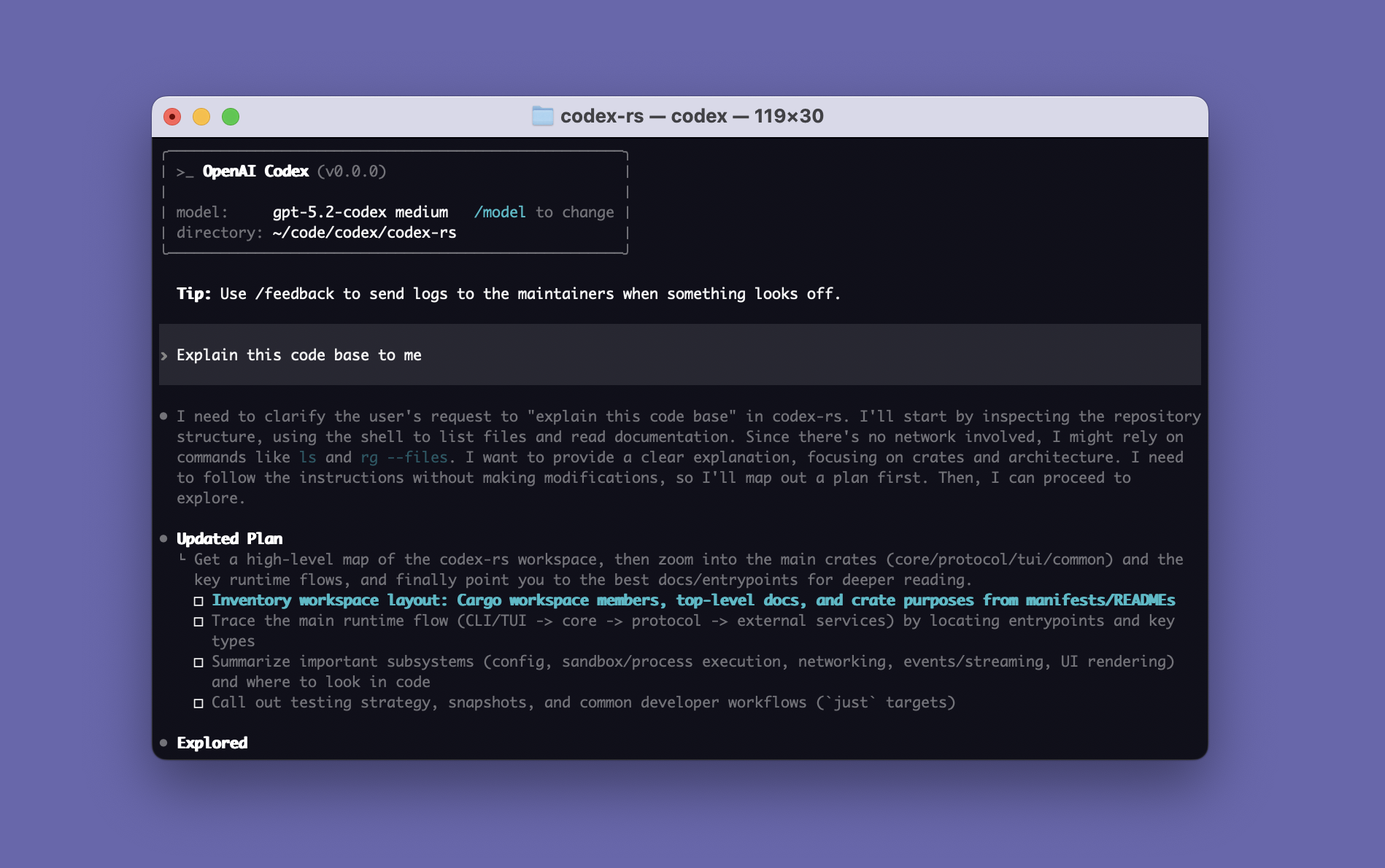
Codex has expanded across a CLI, IDE integrations, a desktop app, and web-based workflows. The openai/codex repository describes the CLI as a coding agent that runs locally. At that scale, local execution is no longer an experimental convenience. It touches the developer's shell, package manager, tests, Git state, local credentials, and private source tree. A coding agent that can run tests and edit files is also a process tree with the ability to do damage if the boundary is too wide.
The important part is the execution boundary
OpenAI expanded Codex to Windows in March 2026. The obvious story was support for PowerShell, Visual Studio, JetBrains IDEs, Git Bash, GitHub Desktop, WSL, and the broader Windows developer environment. The May engineering post makes the more important point: Windows support is only useful for a local agent if the agent can behave like a developer without receiving the developer's entire authority.
OpenAI describes Codex as running on the developer's laptop. Whether the entry point is the CLI, an IDE extension, or the desktop app, the local harness coordinates the conversation with the cloud model and executes model-requested commands on the user's machine. Without a sandbox, those commands can run with the real user's privileges. That is powerful, but it is also exactly why the security model matters. If an agent can change files, install dependencies, create branches, or run build tools, the same pathway can also modify the wrong directory or reach the wrong network endpoint.
Early Windows users were close to an uncomfortable choice. One option was approving nearly every command, including harmless reads. That protects the machine but erodes the productivity reason for using an agent. The other option was Full Access mode, which reduces friction but also reduces control. From a security team's perspective, a coding agent can be more complicated than an ordinary app because it composes shell commands, compilers, package managers, browsers, and external tools at runtime.
The valuable part of OpenAI's framing is that it does not ask only whether the model is safe. It asks what authority the local process tree has inside the operating system. That makes the problem app security, operating system security, developer experience, and enterprise auditability at the same time.
Windows did not have one perfect primitive
macOS has Seatbelt. Linux has tools such as seccomp and bubblewrap. None of these are magic, but they give agent builders familiar ways to express limits on what a process and its children may read, write, or access over the network. OpenAI's central Windows finding is that there was no single primitive that fit the Codex workload cleanly.
AppContainer was one candidate. It can provide a strong boundary for applications that know their required capabilities ahead of time, such as UWP-style apps. Codex is different. It opens shells, invokes Git, runs Python or Node, and touches project-specific build tools. In OpenAI's view, AppContainer was strong but too narrow for open-ended developer workflows.
Windows Sandbox was another candidate. A disposable lightweight VM is attractive from a security perspective, but Codex needs to work against the user's real checkout, tools, and environment. Copying a project into a separate Windows desktop, wiring host and guest state together, and rebuilding the development environment each time would not match the product experience. Windows Sandbox is also not universally available across Windows editions.
Mandatory Integrity Control looked elegant on paper. Codex could run at a low integrity level while the workspace was marked as writable by low-integrity processes. OpenAI rejected that direction because it changes the trust meaning of the host filesystem. If the real checkout becomes a low-integrity sink, the change is not limited to Codex. Other low-integrity processes also see a different permission shape.
| Candidate | Strength | OpenAI's limitation |
|---|---|---|
| AppContainer | Native Windows capability-based isolation | Too narrow for arbitrary tools and open developer workflows. |
| Windows Sandbox | Strong VM boundary and disposable environment | Hard to work directly with the user's real checkout and toolchain. |
| Mandatory Integrity Control | Can express OS-level write restrictions | Changes the host trust semantics of the workspace itself. |
| Final combination | Combines users, firewall rules, tokens, and ACLs | Raises setup and operational complexity. |
This matters beyond Codex. Local agents run in messy environments: home directories, corporate VPNs, private package registries, Visual Studio installs, SSH keys, credential helpers, endpoint security agents, and proxy settings all coexist on the same machine. Model-level safety cannot shrink that surface by itself. The operating system has to enforce the boundary.
The first design handled writes better than network
OpenAI's first Windows sandbox prototype avoided administrator privileges. Its core pieces were a synthetic SID and a write-restricted token. In Windows, SIDs represent security identities. OpenAI created a synthetic sandbox-write SID and granted write, execute, and delete rights only to the current working directory and configured writable_roots. Paths such as .git, .codex, and .agents could remain read-only even when they sat inside a writable root.
That is a reasonable answer for file writes. A process has to pass both the ordinary user permission check and the restricted SID check before writing. Codex can change the workspace paths that were intentionally opened, but it cannot casually modify the whole home directory. The mechanism looks different from macOS or Linux sandbox policy, but the product goal is the same: let the agent work on the project without inheriting all of the developer's write authority.
The weakness was network control. Without administrator privileges, it is difficult to enforce a Windows firewall rule for the sandboxed process tree. OpenAI's early design therefore relied on environment variables and PATH shaping: proxy-aware traffic could be pointed at dead local endpoints such as 127.0.0.1:9, Git over SSH could be failed with GIT_SSH_COMMAND=cmd /c exit 1, and a denybin directory could be placed ahead of tools such as SSH or SCP.
Those measures are practical, but they are not a strong security boundary. Many legitimate tools ignore proxy variables, and malicious code can open sockets directly. OpenAI treated this as advisory rather than enforcement. That distinction is essential for enterprise deployment. "Most package installs fail" and "arbitrary child processes cannot open outbound network connections" are very different claims.
The final design uses sandbox users and firewall rules
OpenAI's final direction is an elevated sandbox. It requires administrator privileges at setup time, but in return moves network blocking into the operating system. The core idea is to create separate local users. CodexSandboxOffline is the user subject to outbound firewall blocking, while CodexSandboxOnline is the user used when network access is allowed. That gives the firewall a policy surface closer to "block outbound access for this sandboxed process tree."
The design needs several moving parts. codex-windows-sandbox-setup.exe creates the sandbox users, stores credentials locally with DPAPI encryption, creates or verifies firewall rules for the offline user, and grants read ACLs so the sandbox user can inspect relevant parts of the developer environment. OpenAI mentions paths such as C:\Users\<real-user>, C:\Windows\, C:\Program Files\, C:\Program Files (x86)\, and C:\ProgramData\. Some of this work can be expensive, so the setup can run parts asynchronously.
The other key component is codex-command-runner.exe. Codex itself starts as the real user, but spawning commands as the sandbox user crosses Windows permission boundaries. OpenAI therefore runs a command runner as the sandbox user. That runner creates the restricted token and starts the final child process. The resulting chain has four visible layers: codex.exe, the sandbox setup binary, the command runner, and the child process the agent actually requested.
codex.exe: manages the conversation and task requests in the real user session
codex-windows-sandbox-setup.exe: prepares sandbox users, ACLs, firewall rules, and DPAPI-protected credentials
codex-command-runner.exe: spawns child processes with a restricted token inside the sandbox user
child process: Git, shell, test runner, package manager, or build tool
Reconstructed from OpenAI's four-layer Windows sandbox description.
This is not elegant in the way a single sandbox primitive would be elegant. But the lack of elegance is the point. Windows does not expose a one-step boundary tailored to an open-ended coding agent. The agent must be free enough to use real development tools, but less free than the developer. It must stay compatible with the host environment, while making malicious dependencies and mistaken model actions less able to reach the network or sensitive files.
Security teams should look beyond the sandbox
In the same week, OpenAI also published how it runs Codex safely internally. That post moves from endpoint sandboxing to enterprise control. OpenAI stores CLI and MCP OAuth credentials in the OS keyring, forces login through ChatGPT, and binds use to an Enterprise workspace. In other words, Codex activity should not drift across personal accounts and random API keys.
Command policy is also separated by risk. Read-oriented commands such as gh pr view, kubectl get, and kubectl logs can be treated differently from destructive or sensitive commands. A coding agent cannot be productive if every shell step requires approval. But giving the agent blanket permission is not acceptable either. The practical policy shape is to let routine safe work pass quickly while forcing explicit review on risky paths.
Telemetry is the other layer. OpenAI says Codex events can be exported through OpenTelemetry, including user prompts, approval decisions, tool execution results, MCP server usage, and network proxy allow or deny events. Enterprise and Edu customers can also inspect Codex activity through the ChatGPT Compliance Logs Platform. This changes the meaning of logs around coding agents. Endpoint tools can say that a process ran. Agent logs can add what the user asked, which tool the agent chose, and what result it observed.
For enterprises, sandboxing and audit logs have to work together. A sandbox reduces the blast radius before and during execution. Audit logs reconstruct intent and outcome afterward. Either layer alone is incomplete. Local coding agents need a model where authority is constrained before execution and evidence is available after execution.
Real Windows environments will still create friction
The design is stronger, but it is not free. GitHub issue #17901 is a useful example. A user reported that Codex Windows desktop app initialization failed while trying to grant read ACLs to a Microsoft Store package path under WindowsApps, ending with SetNamedSecurityInfoW failed: 5. This does not prove the architecture is broken. It shows the kind of host filesystem, package permission, Store app, and sandbox-user access problem that OpenAI's post anticipates.
More collisions are plausible in enterprise environments. Endpoint security might flag the setup binary. MDM policy might restrict local user creation. Corporate proxy configuration may need different treatment for CodexSandboxOffline and CodexSandboxOnline. Package-manager caches, private registry credentials, Git credential helpers, SSH agents, and the Windows certificate store all become policy questions. The agent needs access to behave like a developer, and that access is exactly why control is needed.
The simple answer is to run every local agent in a VM, WSL environment, or devcontainer. That is often useful, but it is only half of the tradeoff. Those environments can provide strong isolation while drifting away from the user's real IDE, file watchers, GUI tools, and Windows-native toolchain. Running on the host improves compatibility, but weakens the default boundary. OpenAI chose the middle: stay close to the host, then build a boundary from users, firewall rules, ACLs, restricted tokens, and a command runner.
The competition is moving from model to harness
The broader news is not only OpenAI's Windows implementation. It is that coding-agent competition is moving from models to harnesses. Claude Code, Cursor, GitHub Copilot agent mode, Devin, and Codex all talk about model performance, but enterprise adoption depends on the execution environment around the model. Which files can the agent read? Which commands can it run without approval? Is network access blocked by default? Where are credentials stored? Can logs flow into the organization's security systems? How are patches reviewed before they enter the supply chain?
OpenAI's Codex Security documentation points in the same direction. It describes connecting to GitHub repositories, building threat models, scanning history, reproducing vulnerabilities in isolated environments, and proposing patches for human review. The agent is not only explaining code. It is tying repository context, execution, reproduction, and pull-request workflow together.
That means SWE-bench-style scores are no longer enough to evaluate coding agents. The more operational questions are becoming central. What is the blast radius when the agent is wrong? Who approves suspicious commands? How is a network allowlist managed? How are enterprise workspaces separated from personal accounts? What evidence exists before an agent-generated artifact enters the software supply chain? The Windows sandbox post is a sign that these questions have moved from product footnotes into the core of the platform.
What development teams should check now
Teams adopting Codex or another local coding agent should start with the execution mode, not the model picker. Can the team work effectively in workspace-write and network-disabled modes, or does the workflow only function with Full Access? When should private registry access be approved? Do tests need the external network, or can they run offline? These questions determine whether the agent can be made productive inside a constrained environment.
The second check is the repository boundary. It matters whether the agent can read the whole monorepo, whether sensitive customer fixtures or production dumps are inside the workspace, and whether .env files, SSH keys, or cloud credentials are exposed. Even a strong sandbox leaves a large blast radius if the workspace itself contains too much sensitive data.
The third check is auditability. Looking only at the final commit or pull request is not enough. Teams need to know which prompt started the run, which shell commands executed, which MCP servers or app connectors were used, and which commands were blocked. That is why OpenAI emphasizes OpenTelemetry and compliance logs. A local coding agent is both a productivity tool and a new privileged automation surface.
Windows support should therefore not be read as "a Mac-first tool now also runs on Windows." Many enterprise developers live on Windows laptops shaped by corporate security policy, Microsoft Store app distribution, PowerShell, Visual Studio, WSL, endpoint protection, and proxy rules. If a coding agent cannot handle that surface directly, it remains a personal productivity tool. OpenAI's Windows sandbox post shows the low-level engineering required for local agents to become deployable enterprise software.
The conclusion is dry but important. The next baseline for coding agents is not only smarter answers. It is narrower, more explainable execution. If an agent is going to work like a developer, giving it the developer's full authority will not scale. OpenAI's combination of sandbox users, firewall rules, restricted tokens, ACLs, and command runners shows where the category is headed. In the age of AI-written code, trust is decided as much by the local operating system boundary as by the model card.