LiteLLM Shipped a Credential Stealer Again, and Its Own Logs Leaked the GitHub Tokens
LiteLLM 1.107.0 sat on PyPI and the Docker latest tag for over two hours on October 21, stealing SSH keys, cloud credentials and provider API keys from anyone who installed it. 1.106.2 is the safe version.
- LiteLLM
1.107.0was live on PyPI and the Dockerlatesttag for about two hours. - Installing it shipped cloud credentials and provider API keys to the attacker.
- The GitHub tokens used to publish it came out of LiteLLM's own server logs, the company says.
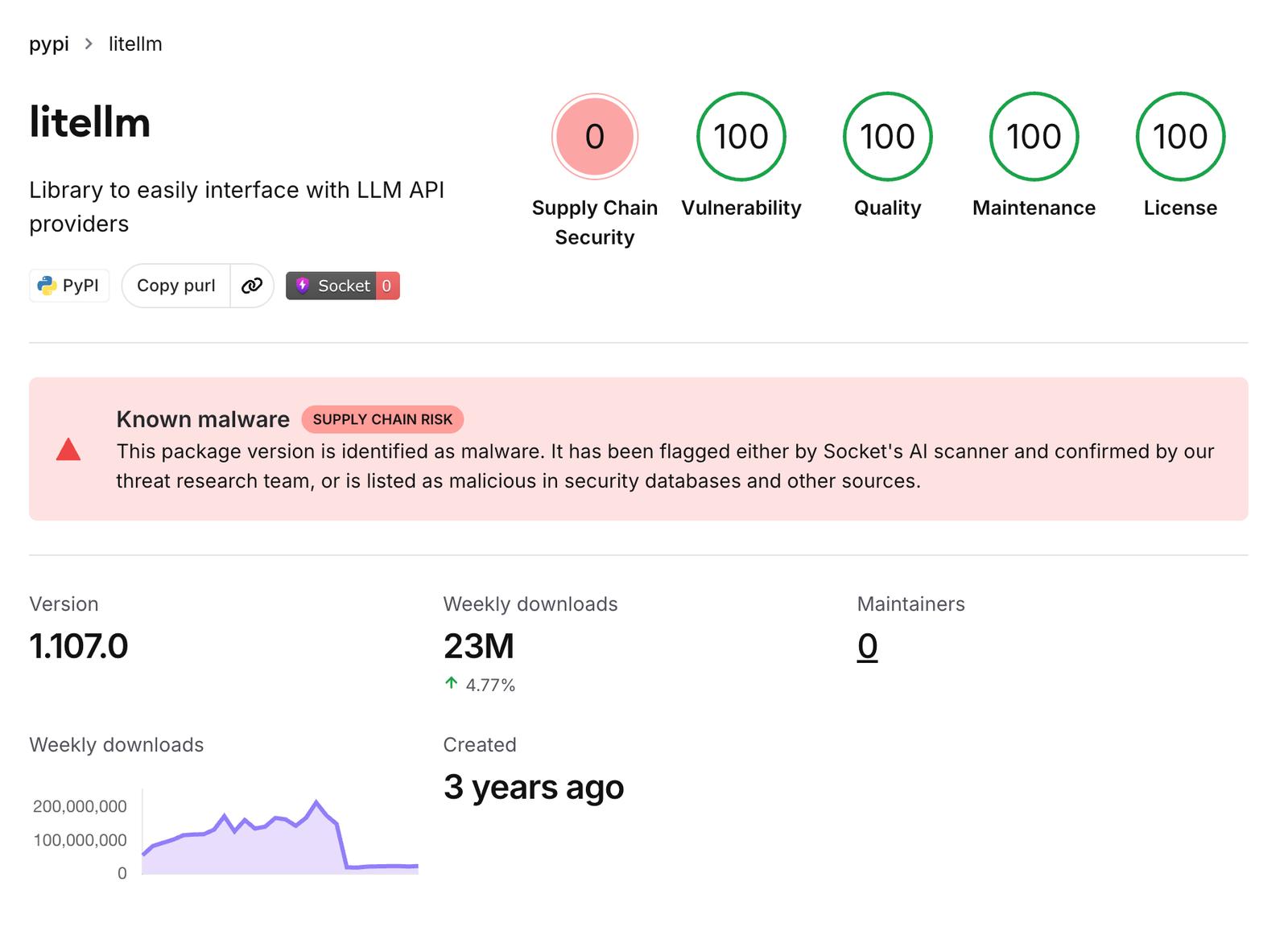
An official release of LiteLLM, the open-source gateway that puts dozens of AI models behind one API, went out carrying credential-stealing code on October 21. The poisoned version is litellm==1.107.0, and it was downloadable from PyPI between 11:39 and 13:23 UTC. The latest tags on Docker Hub and GHCR pointed at malicious images over roughly the same window. LiteLLM pulls about 23 million PyPI downloads a week, by Socket's count.
This is the second supply chain compromise of LiteLLM this year. The project rebuilt its release pipeline after the TeamPCP incident in March and got through it anyway. The path the company describes is the unexpected part: the attacker used the GitHub tokens of three engineers, and LiteLLM believes those tokens walked out of the logs of a LiteLLM server the company was running for its own internal use.
Installing it is enough
The malicious code arrived as three files inside the package: cook.pth, cook.py and sitecustomize.py. Python reads .pth and sitecustomize.py files automatically at interpreter startup, so none of this needs an import litellm anywhere in your code. Per SafeDep's analysis, it fires the moment Python starts for any reason in that environment: a pip command, an IDE language server, a CI step.
It did two jobs.
- Credential collection (
cook.py): SSH keys, AWS, Azure, GCP and Kubernetes credentials, CI secrets, browser-saved passwords and shell history. Auth files for Claude Code, Cursor, Copilot and Codex are on the list too. On a host running the LiteLLM proxy it also readsLiteLLM_CredentialsTableout of the database, which is where the provider API keys for OpenAI, Anthropic and everyone else are pooled. The haul is encrypted and posted to a lookalike domain,www.litellm[.]dev. - Backdoor (
sitecustomize.py): it detaches from the parent process and survives as a daemon that, once an hour, reads a server address out of an attacker-controlled GitHub repository and executes whatever Python it gets back. That repository was deleted around 13:40 UTC, so the loop has nothing to fetch now, but nobody has established whether any host pulled second-stage code before then.
The stolen credentials were put to work. Wiz observed calls to sts:GetCallerIdentity and bedrock:ListFoundationModels from two IPs starting at 16:20 UTC, about four and a half hours after the upload, using a stolen AWS instance role. The first thing the attacker checked was which AI models the hijacked account could run, the standard opening move in LLMjacking, where someone else's bill pays for your inference.
How the locks from March came open
After the March incident LiteLLM put several layers on its release process. From the company's own writeup:
- release jobs moved into a private repository
- PyPI uploads happen only through Trusted Publishers, the PyPI feature that restricts uploads to a named GitHub workflow
- Docker tags are immutable and images are signed
- the final publish can only be triggered by an account bound to a single laptop that never leaves the office
The attacker walked past each of those. Combining the incident report with the Socket and Wiz analyses, the order was this.
Berri-AI/litellm, one hyphen away from the real BerriAI/litellmThe publish button was still pressed by the legitimate workflow on that laptop-bound account. All the attacker changed was which repository the workflow built from. So the artifacts carry the same signature a clean release would, and the official v1.107.0 tag on GitHub contains none of the malicious files. Short of diffing the published package against the source, there was nothing to tell it apart from a normal release.
The tokens were in LiteLLM's logs
The strangest part of LiteLLM's account is where the tokens came from. The company found an account with a plausible-looking name and no identifiable owner on a LiteLLM server it ran internally, and that server was reachable from the public internet. Its conclusion is that the attacker used that account to read the server's logs and lift the engineers' GitHub CLI tokens.
The writeup also explains why those tokens were in logs at all. LiteLLM says it observed "Claude Code putting a user's GitHub CLI OAuth token in the response body under certain circumstances." Its engineers were routing Claude Code requests through the internal LiteLLM gateway, and if that gateway is configured to log response bodies, the token lands in the log verbatim.
Several things are still open.
- How the attacker first reached that internal server is not established. The company only says it suspects "a recently patched vulnerability."
- In the same post LiteLLM says it is shipping an embargoed build to its enterprise private registry that fixes a vulnerability scheduled for disclosure on October 27. It does not say whether that is the same bug.
- What conditions make Claude Code emit the token in a response, and what Anthropic has to say about it, were both unpublished as of October 22.
Services that hold other people's AI provider keys had a bad week. On October 17, user API keys were exposed in OpenCode Console, and on October 21 the deployment platform Railway disclosed a breach of its customer environment variable store. Railway called it "part of a chain of attacks on platform companies targeting AI inference providers." Neither company has said whether the same actor is behind the LiteLLM compromise.
Does this hit your environment
The blast radius LiteLLM published is below. It does not vary by region: PyPI and Docker Hub served the same artifacts everywhere. In Singapore time (UTC+8) the PyPI window runs from 19:39 to 21:23 on October 21, and the Docker Hub window from 19:46 to 22:20.
| Install path | Affected if | Exposure window (UTC) |
|---|---|---|
PyPI (pip install litellm) | you installed without a pinned version and got 1.107.0 | 11:39 to 13:23 |
| Docker Hub | you pulled and ran v1.107.0, latest, main-latest or main-stable | 11:46 to 14:20 |
GHCR (litellm, litellm-database, litellm-non_root) | same tags as above | 11:46 to 13:51 |
| Enterprise private registry | not affected | none |
The safe versions are 1.106.2 and any earlier version you pinned explicitly. LiteLLM's guidance is to treat any environment that installed 1.107.0 or ran one of those images in the window as compromised. A marker file at /tmp/.pc_once_ confirms execution, but its absence proves nothing, because a container restart wipes it.
Combining the incident report with the remediation steps from LidorMachluf, who found the package, the cleanup order is below. Do not start with pip install. pip is Python, so the malicious files run again.
- From a shell, delete
cook.pth,cook.py,sitecustomize.pyand their__pycache__entries from everysite-packagesdirectory. - Kill the Python daemon holding
/tmp/remote_code_loader.lock. - Reinstall pinned to
litellm==1.106.2. Rebuilding the virtualenv or image from scratch is better. - Rotate every secret that host could reach: the instance IAM role, every provider key stored in the proxy database plus the master and virtual keys, and the
DATABASE_URLpassword.
If you run the LiteLLM proxy from the Docker latest tag with auto-restart or image refresh enabled, start by checking the image digest of the running container. If it begins with sha256:1bbcb1443bc9 or the container restarted between 11:46 and 14:20 UTC on October 21, work through the steps above and rotate the provider keys sitting in the proxy database first.