One API call opens a sandbox, Gemini API takes the agent runtime
Gemini API Managed Agents moves beyond model calls by packaging a Google-hosted Linux sandbox and the Antigravity harness as an API surface.
- What happened: Google previewed
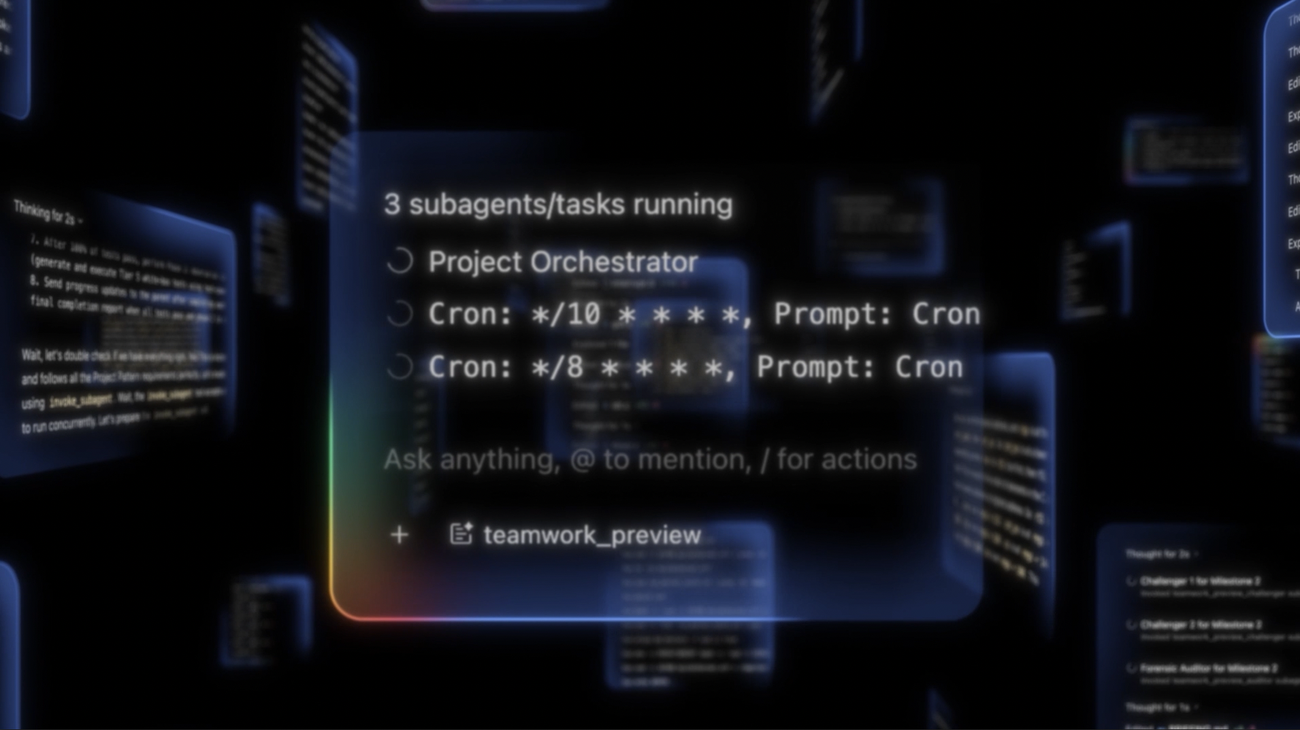
Managed Agentsfor the Gemini API.- A single Interactions API call can run an Antigravity agent inside a Google-hosted Linux sandbox for reasoning, tool use, code execution, and file management.
- Why it matters: The competition is moving from model APIs toward agent harnesses and execution environments.
- Watch: Preview status, accumulated token cost, runtime dependency, and observability all need review together.
- Google's docs say complex workflows can accumulate
3-5Mtokens and reach roughly$5in example scenarios.
- Google's docs say complex workflows can accumulate
Google introduced Gemini API Managed Agents during its Google I/O 2026 developer announcements on May 19, 2026. The short version sounds straightforward: a developer can start an Antigravity agent with one API call, and that agent can reason, use tools, execute code, manage files, and browse the web inside an isolated Linux environment hosted by Google. But the significance is larger than "Gemini now has agents."
The center of gravity in AI developer tools is shifting from model names to execution surfaces. Until recently, many teams mainly asked which model coded better, which model could hold more context, and which model was cheaper. The questions are changing. Where does a long-running agent execute? Who owns the file system and package installs? Where is session state stored? How do teams observe tool calls and cost? Google's Managed Agents announcement answers that Gemini API wants to provide not only the model, but also the agent harness and sandbox.
The official post says Managed Agents abstracts away much of the infrastructure previously needed for production-grade agents. In the older pattern, product teams had to connect runners, sandboxes, tool loops, state, retries, file mounts, and web access themselves. Google is now exposing the Antigravity agent harness through an API, backed by an agent runtime based on Gemini 3.5 Flash and callable from the Interactions API and Google AI Studio. Google's message is that developers can spend more time on product experience and agent behavior.
When a model API becomes a runtime API
The Gemini API has historically felt like a model invocation surface. You send text, images, and tool definitions, then receive a response. Function calling, code execution, and search were already available, but the unit of work was still largely a request and a response. Managed Agents changes that unit. Google's Antigravity Agent docs describe a managed agent that can perform reasoning, code execution, file management, and web browsing through a single API call.
The important word is not just agent. It is environment. In Google's docs, environment="remote" means a fresh Linux sandbox. Passing an existing environment_id reuses the same sandbox, including its file and package state. Passing a configuration object can mount sources such as a Git repository, Cloud Storage, or inline files, and can define network rules. The API call is no longer only a text generation request. It becomes the act of opening an executable workspace.
That change affects how teams attach agents to products. Consider a task such as "analyze quarterly revenue data and produce a PDF report." With a regular model API, the application sends the data, receives an answer, runs code in a separate service, and handles file storage itself. With Managed Agents, the agent can install packages inside the sandbox, create files, preserve intermediate results, and continue in the next interaction. That does not mean the system solves everything automatically. It does mean part of the orchestration burden moves from product code into the provider runtime.
| Area | Regular model call | Managed Agents |
|---|---|---|
| Basic unit | Input and response | Interaction and execution environment |
| State management | The app manages conversation history and files | Server-side interactions and sandbox state can be reused |
| Code execution | Needs a separate runner or tool service | Runs in a Google-hosted Linux sandbox |
| Main risk | Operational complexity in your own stack | Preview API, compounding cost, runtime dependency |
Why the Interactions API matters
Managed Agents sit on top of the Interactions API. Google describes Interactions API as the new recommended Gemini standard for new projects, especially for agentic workflows, server-side state management, multi-turn conversations, and typed execution steps. The existing generateContent API remains supported, but Google also says new agentic capabilities and tools will arrive first on Interactions API.
The key resource is an interaction. An interaction represents one conversation or work turn, and it contains a chronological sequence of execution steps such as model thoughts, tool calls, function results, and final output. Developers can read only the final text, but complex agent UIs and debugging tools will want to traverse the step timeline directly. That matters for agent products. Users need to see what the agent is doing, and operators need to know which tool call failed when something stops.
Server-side state also changes. Passing previous_interaction_id lets Gemini's server continue from prior conversation history. Interactions are stored by default, with Google's docs listing 55 days of retention on paid tiers and 1 day on the free tier. You can set store=false, but that interacts with limitations around features such as background=true and follow-up interaction linking. In other words, convenience and data retention policy now move together.
For production teams, this is where the architecture conversation starts. Previously, the application server usually held conversation state and logs, while the provider mostly returned model output. With Interactions API, the provider stores the agent execution timeline and some state. That reduces implementation work, but teams still need answers for data retention, deletion, audit export, per-user authorization, and incident investigation. Agentic workflows leave much more intermediate state than a conventional chat completion.
AGENTS.md and SKILL.md become API configuration
For devlery readers, one notable detail is Google's support for AGENTS.md and SKILL.md. Google says Managed Agents can be extended with custom instructions, skills, and data. The Building Managed Agents docs present three extension paths: system instructions, tool overrides, and mounted files or skills. AGENTS.md holds long-lived instructions, while .agents/skills/<skill-name>/SKILL.md becomes a skill file the agent can discover automatically.
That naming is not accidental. The coding-agent ecosystem has been converging around repository-local instruction files as a practical, if informal, standard. In Codex, Claude Code, Cursor, Devin, Jules-style tools, project-specific agent instructions have become important development assets. Google's decision to put this file structure inside a managed Gemini runtime means agent configuration is being treated as part of the codebase.
For example, a data-analysis agent might put "always include visualizations and a summary table" in AGENTS.md, then place a HTML slide-deck workflow in skills/slide-maker/SKILL.md. At API call time, those files can be mounted inline or attached through a repository source. During experiments, teams can pass the configuration on each interaction; when the agent is ready, they can create a managed agent with agents.create and call it by ID. For teams operating agent products, this looks a lot like configuration as code.
But configuration as code also means review as code. If AGENTS.md is no longer just a prompt, but a file that changes runtime behavior, it needs review and version control. Teams need to know which skills use which tools, which data sources are mounted, which network rules are required, and which outputs can be created. Human review of the agent's final artifacts still matters, but the instructions that move the agent are now part of the operational surface.
Interactions API request
Antigravity agent harness
AGENTS.md, SKILL.md, source mount
Files and execution results in an isolated Linux sandbox
Cost is not just the price of one response
Managed Agents are easy to misread through the pricing mental model of normal chat requests. A standard chat request is mostly a function of input tokens and output tokens. Agent requests still depend on tokens and tool usage, but the behavior is different. Google's Antigravity Agent docs make that difference explicit: one Antigravity interaction is an autonomous loop, not a single output. Reasoning, tool execution, code running, and file management can repeat, accumulating tokens along the way.
Google's examples are concrete enough to be useful. Research and information synthesis are listed at roughly 100k-500k input tokens, 10k-40k output tokens, and a typical cost of $0.30-$1.00. Data processing and analysis are listed at 300k-3M input tokens, 30k-150k output tokens, and $0.70-$3.25. More complex agentic workflows can accumulate 3-5M tokens and reach about $5 in the examples. During preview, Google says it is not charging for environment compute such as CPU, memory, and sandbox execution, but that should not be assumed as a permanent economic model.
Those numbers do not need to be read as fear marketing. The important point is that the unit of cost changes. If an agent explores the web, opens files, runs code, fixes errors, and loops several times, "one request" is no longer a comparable unit. The user pressed one button, but internally the system may run dozens of reasoning steps and tool calls. Product teams need to redesign usage meters around task runs, not model responses.
Cost control also becomes a user-interface problem. Google's docs describe using SSE streaming to monitor an agent run and canceling it if it appears stuck or runs longer than expected. That is not just a developer convenience. Real products need progress state, cost estimates, cancellation controls, and intermediate artifacts. Otherwise, time and cost can keep accumulating behind a vague "AI is working" screen.
The weight of the word preview
The announcement is significant, but it should not be overread as a finished production platform. Interactions API is beta or preview, and Google's docs warn that features and schemas can see breaking changes. The Antigravity agent is also in preview. The docs still point production workloads toward the stable generateContent API. Managed Agents show an important direction, but teams should account for change before tying critical automation deeply to the surface.
The limitations are material. The Antigravity agent does not support generation settings such as temperature, top_p, top_k, stop_sequences, or max_output_tokens. It does not support structured output. Current unavailable tools include file_search, computer_use, google_maps, function_calling, and mcp. Background execution is not supported and store=True is required. Multimodal input currently centers on text and images, while audio, video, and document input are not yet supported.
Those constraints do not erase the value of Managed Agents. They clarify the target use. Today's Antigravity agent is less a stable platform for complex long-running work under production SLAs, and more a preview of where Google wants to take agent runtime and API design. It is meaningful for internal tools, prototypes, research automation, file-based analysis, and developer workflow experiments. It needs more caution in areas where deterministic control and audit trails come first, such as financial transactions, customer data mutation, or security-sensitive operations.
A different direction from Claude Managed Agents
Anthropic has also been pushing Claude Managed Agents quickly. Its recent direction around self-hosted sandboxes and MCP tunnels gives enterprises more direct control over execution environments and private tool connections. In that model, the agent loop can stay with Anthropic while file systems and shell execution live in customer infrastructure. Google's Managed Agents announcement leans instead toward fast access to a Google-hosted Antigravity harness and Linux sandbox through an API.
These are trade-offs, not a simple ranking. Google's one-call managed sandbox lowers the barrier to entry. Developers get an agent workspace by calling an API instead of building a runner. The surface also lines up with Google's broader ecosystem: Antigravity IDE, CLI, SDK, AI Studio, and Gemini Enterprise Agent Platform. The trade-off is that when execution moves into Google's runtime, questions about network boundaries, data retention, log export, sandbox image control, and provider dependency get louder.
The Anthropic-style self-hosted direction is closer to boundaries enterprise security teams already understand. It also adds operational work around runners, tunnels, credentials, and trace correlation. Google's managed direction is faster to start, but teams need to inspect how much observability and control they get inside the provider runtime. The platform choice is no longer only "which model is smarter." It is "which layer of the agent loop, execution, storage, network, and audit trail do we hand to whom?"
The larger Google platform picture
Managed Agents was not a standalone announcement. In the same I/O developer highlights package, Google also presented Gemini 3.5 Flash, the Antigravity 2.0 desktop app, Antigravity CLI, Antigravity SDK, Google AI Studio mobile, Workspace integration, Android app generation, and Firebase integration. Taken together, this looks less like scattered AI developer features and more like an agent-first development platform.
Antigravity 2.0 was introduced as a desktop surface for orchestrating multiple agents in parallel, with scheduled tasks and ecosystem integrations. The CLI gives terminal users a lighter-weight surface. The SDK exposes programmatic access to the same harness. Managed Agents brings that harness into Gemini API calls. AI Studio remains the browser surface for prototypes and custom templates, while Gemini Enterprise Agent Platform provides a private preview path for Google Cloud customers.
In that context, Gemini 3.5 Flash is not just another model release. Google positions 3.5 Flash as beating Gemini 3.1 Pro on most benchmarks and running four times faster than frontier models, making it a high-speed engine for agentic workflows. Agent runtimes loop frequently, so model latency and cost matter more than they do in one-shot prompts. Google's strategy becomes clearer when a faster model, managed sandbox, server-side state, and IDE/CLI/Studio surfaces arrive as one package.
Questions teams should ask now
First, decide whether the work belongs in a Google-hosted sandbox. Public-data analysis, document generation, research summaries, and prototype code execution are good candidates because they are easier to place in an external runtime. Work involving private repositories, customer data, internal APIs, or secrets requires a clear data-movement and credential-boundary design before adoption.
Second, treat the interaction and environment lifecycle as product requirements. The 55-day paid-tier retention window, the constraints around store=false, the preservation of files and packages when reusing an environment, and deletion API behavior all affect user data policy. "The agent can continue where it left off" is a compelling experience, but teams need to explain what is stored, where, and for how long.
Third, build cost and cancellation UX from the beginning. Agent runs can take longer than users expect, and tool calls and tokens can grow quickly. SSE streaming, run status, cancellation buttons, budget thresholds, and per-run receipts are trust features, not optional polish. That is especially true for internal automation and customer-facing products, where users need to understand what the agent is doing and why.
Fourth, put AGENTS.md and skill files under code review. Prompt instructions now alter runtime behavior. Review who added a skill, which sources it mounts, which tools it allows, whether it can read sensitive data, and where output artifacts go. In the agent era, changing an instruction file can have consequences similar to changing application logic.
Conclusion: convenience, but also execution control
Gemini API Managed Agents clearly offers convenience. Developers can call an Antigravity agent without building a runner, work with files and code in a Linux sandbox, and configure behavior through AGENTS.md and SKILL.md. Prototypes and internal automation can move faster. With Google AI Studio, Antigravity CLI/SDK, Android, and Workspace integrations nearby, Google is spreading an agent-first development workflow across its product family.
But reading this only as "AI agents are now one API call away" misses the main point. The bigger story is execution control. Which parts of the agent loop, state, sandbox, file system, and tool-call timeline sit inside the provider runtime, and which remain inside the application or enterprise boundary? Google is pulling many of those layers toward Gemini API in exchange for convenience. That also raises the stakes for cost, observability, data retention, and vendor lock-in.
The next front in AI developer tools is not better autocomplete. It is a platform where long-running agents fail safely, explain intermediate state, stop spending when canceled, use repository instruction files as configuration, and receive an execution environment on demand. Gemini Managed Agents shows that this fight is happening outside the model API itself. The real question is not whether the demo works in one call. It is who owns the agent's hands and workspace after that call begins.
Sources: Google official announcement, Google I/O 2026 developer highlights, Interactions API docs, Antigravity Agent docs, Building Managed Agents docs, Managed Agents environment docs.