Goal Mode by default, Codex targets agent waiting time
OpenAI Codex Goal Mode and locked computer use move the coding-agent bottleneck from prompts toward goals, context, approvals, and policy.
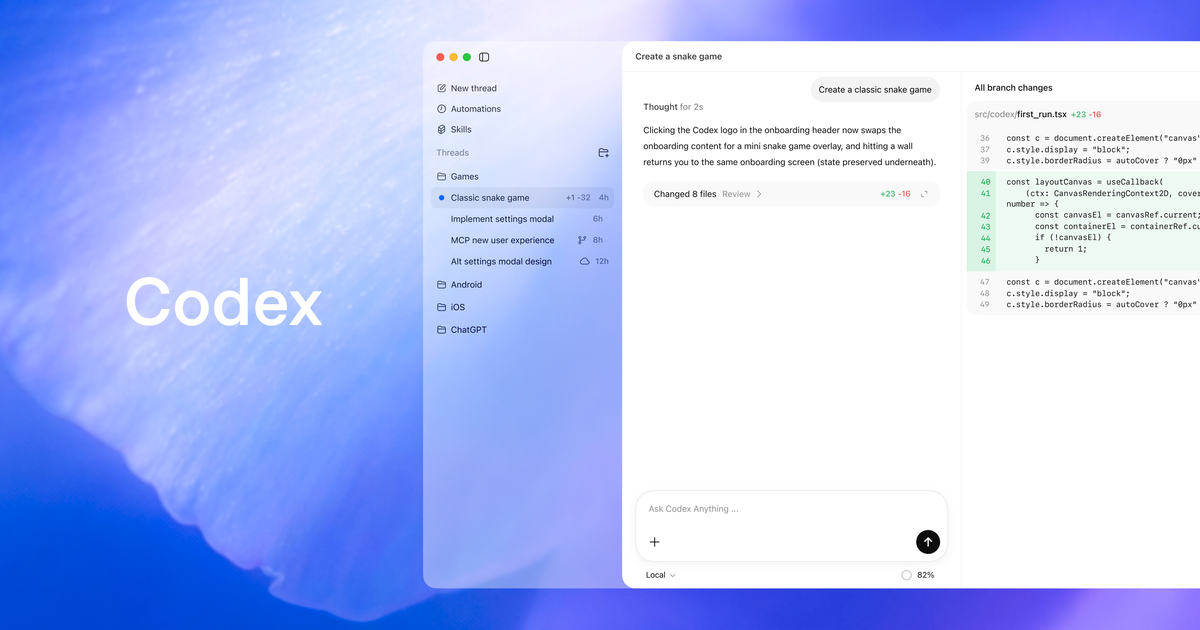
- What happened: OpenAI published Codex app
26.519and CLI0.133.0updates on May 21, 2026.- The release bundles
Appshots, Goal Mode graduating from experiment, locked computer use, browser annotation, and stronger permission profiles.
- The release bundles
- Why it matters: The coding-agent bottleneck is moving from prompt entry toward goal storage, context capture, approval location, and runtime policy.
- Builder impact: Long jobs can now be tracked as
goals, app context can enter a thread through Appshots, and trusted computer-use turns can continue behind a locked Mac.- Those same features turn mobile approvals, locked-session execution, and permission profiles into issues that security and platform teams need to operationalize.
- Watch: OpenAI lists meaningful safeguards, but small-screen approvals and long-running automation still need independent auditing and clear limits.
OpenAI posted Codex app 26.519 and Codex CLI 0.133.0 to the Codex changelog on May 21, 2026. At first glance, it is a cluster of product features: Appshots, Goal Mode, locked computer use, browser annotation, plugin sharing, and permission-profile improvements. The reason to treat this as a separate news event is more specific. Codex is moving from "a tool that edits code in more places" toward an operating layer that can hold a long-running objective, absorb context from other apps, and keep working through constrained approval paths.
One week earlier, on May 14, OpenAI announced that users could work with Codex from the ChatGPT mobile app. That release made remote steering visible: users could inspect Codex threads away from the desk, answer questions, redirect work, and approve actions. The May 21 update answers the next layer of questions. If a person can approve from a phone, what unit of work should Codex keep pursuing? If the useful context is in another app, how does it enter the thread? If the Mac is locked, where should computer use stop? If teams adopt plugins and remote control, how do they inventory and constrain permissions?
That is why the center of gravity here is not the feature list. It is the work loop. Coding-agent competition is now hard to explain with model benchmarks alone. Even with the same model, agents stop for different reasons. They lose the objective, lack application context, wait for a user who stepped away, or run into unclear permission policy. OpenAI's latest Codex update pulls those waiting points into the product surface one by one.
Appshots target copy-and-paste overhead
The most visible Codex app 26.519 feature is Appshots. OpenAI says macOS Codex users can press both Command keys to send the frontmost application window into a Codex thread. The payload is not just a flat screenshot. It includes the screenshot and available text where possible. For the common workflow where a user is looking at a browser, design tool, document, error dialog, or internal app and says "fix it based on this screen," the feature reduces the amount of explanation the user has to type.
That may sound minor, but it matters in real coding-agent use. Development work does not live only in source files. The error may be in the browser console. The requirement may be in a document. The style critique may be visible in a design surface. The reproduction path may depend on one particular state inside an internal tool. Until now, users often had to translate that surrounding context into text, attach a screenshot manually, or give the agent a browser session and ask it to inspect the page. Appshots removes some of that middle cost.
The more interesting shift is that Appshots expands the agent's input beyond the prompt box. Prompt engineering assumes the user can accurately describe a request in language. In day-to-day development, the user is often looking at the problem before they have phrased it. "This button spacing feels wrong," "the approval modal copy does not match the policy," and "this table alignment broke" are visual-context-first problems. Language comes second. Appshots gives Codex a more direct entry point into that visual work context.
There is still a boundary to watch. Screenshots can contain private customer data, credentials, unreleased designs, or internal systems. The convenience of sending a window into the agent context does not remove the need for data-handling rules. Teams adopting Appshots should decide which app categories are acceptable as agent context, how sensitive screens are excluded, and whether screenshot-derived text is retained in logs or remote systems.
Goal Mode becomes an operating unit
The larger change is Goal Mode graduating from experiment. OpenAI says Goal Mode is no longer experimental and is available in the Codex app, IDE extension, and CLI. The changelog describes it as a way for Codex to make progress toward a specific objective over hours or days. In CLI 0.133.0, goals are enabled by default and get dedicated storage plus progress tracking.
That changes the unit of a coding-agent interaction. In a short chat turn, "fix this function" is natural. Real development work is often longer and messier. Dependency migrations, test-suite repair, accessibility audits, security reviews, documentation cleanup, and multi-comment PR follow-up all create failures and detours along the way. If the agent merely answers a few turns and stops, the user has to reconstruct the state repeatedly. Goal Mode pushes that state into the product and gives the agent a stored objective to keep tracking.
This maps to a broader pattern across AI coding tools. GitHub Copilot's cloud-agent work emphasizes planning and research. The Claude Code ecosystem has made explicit goals and completion conditions part of serious agent workflows. Codex making Goal Mode a default capability shows OpenAI is seeing the same pressure. A coding agent has to become less of a good answer generator and more of an executor that does not lose the definition of done.
Working behind a locked Mac has conditions
The most sensitive item is locked computer use. OpenAI's release notes say eligible Mac Computer Use users can let Codex continue working remotely and securely after the Mac locks. The Codex changelog limits this to active, trusted computer-use turns and lists safeguards such as short-lived authorization, covered displays, relocking on local input, and a manual-unlock fallback.
This should not be flattened into "AI can use your locked computer however it wants." OpenAI names constraints, safeguards, eligibility boundaries, and regional limitations. But the change is still large for development organizations. The lock screen has traditionally been a natural boundary for agent execution. When a person leaves the desk, display and input are locked, and many desktop automation paths stop. Locked computer use partially reopens that boundary under defined conditions.
The reason is clear. Long-running coding-agent work often moves across a desktop app, a browser, a local terminal, a design preview, and a test runner. If the user enters a meeting or locks a laptop, the agent can still investigate a failure, inspect UI state, and prepare the next diff. Combined with the May 14 mobile remote-control release, a plausible loop emerges: the user approves from a phone while Codex continues limited work behind a locked Mac.
Security teams cannot treat that as just another convenience feature. Desktop use behind a locked session raises questions about screen exposure, local credentials, browser sessions, approval scope, and audit trails. OpenAI's references to covered displays and relocking on local input point at exactly those concerns. Before enabling this broadly, teams need to decide which apps and action classes are allowed, where screenshots and logs are stored, and what risk information is visible during mobile approval.
CLI 0.133 is the platform-team update
If Appshots and locked computer use are mostly user-experience changes, Codex CLI 0.133.0 is the update platform and developer-tools teams should read closely. According to OpenAI's changelog, goals are now enabled by default with dedicated storage and progress tracking. codex remote-control behaves like a foreground command, waits for readiness, and reports machine status, while explicit daemon-style start and stop commands remain available.
That matters because remote control should not feel like an invisible background process that nobody can reason about. If agent remote control becomes common, users and teams need to know which machine is reachable, which host is ready, and which remote-control process is active. For long-running work, transparency is not a UX flourish. It is a safety condition.
Permission-profile improvements belong in the same bucket. The changelog mentions list APIs, inheritance, managed requirements.toml support, runtime refresh behavior, and stronger Windows sandbox integration. The story here is not simply that Codex became smarter. It is that Codex is becoming more manageable as a system that runs with specific permissions in specific environments. As coding agents use shells, file systems, browsers, MCP servers, and plugins, permission profiles stop being a personal preference. They become operational policy.
Plugin discovery follows the same direction. Marketplace-aware list output, installed versions, visible marketplace roots, and remote collection support help teams see which plugin bundles are in play. Plugins can package skills, app integrations, MCP servers, and lifecycle hooks. That can improve productivity, but it also creates supply-chain and permission risk. A plugin sits close to the developer's files, terminal, browser, and internal APIs as soon as it is installed.
| Update | Bottleneck it targets | Question for teams |
|---|---|---|
| Appshots | Moving another app's visual and text context into a prompt | Which app screens may be sent into agent context? |
| Goal Mode | Losing objectives and success criteria during long work | Who defines the goal, and how is completion verified? |
| Locked computer use | Agents stopping when the user leaves or the screen locks | Which desktop actions are allowed while the machine is locked? |
| Permission profiles | Permission policy scattered across personal settings and implicit approvals | Who owns inheritance, managed requirements, and sandbox policy? |
Browser improvements change the language of frontend approval
The changelog also includes in-app browser annotations and browser-use reliability improvements. OpenAI says annotations let users mark font size, color, spacing, and similar styling issues directly so Codex receives a clearer signal. The release also mentions page image-asset extraction, structured-data extraction through a read-only JavaScript sandbox, reduced Chrome extension tab clutter, and browser-use reliability improvements.
This matters especially for frontend developers. One of the hardest parts of asking a coding agent to fix UI is explaining what is wrong. The user can see the screen. The agent may be looking at a DOM, screenshot, console log, and test output as separate artifacts. As annotation improves, users can point at the problem area instead of writing a diff-like description. Codex then has to translate that visual signal into a code change.
Annotation is still not a complete answer. A visible problem and its code cause may live in different places. Fixing spacing in one viewport can break another viewport. Changing a color can collide with design-token policy. That means annotation should be treated as evidence, not a blind command. The agent should use the annotation to localize the issue and then verify why the underlying code produced that visual state. Otherwise UI agents become screen-fitting assistants rather than reproducible development tools.
Community reaction is about working habits
The May 21 update thread in Reddit's r/codex summarized remote computer use, Appshots, and Goal Mode quickly, with users tying the changes to their actual development habits. One user described moving from Roo or Kilo to Codex and caring about context-window behavior. A related r/CodexAutomation thread treated Codex app 26.519 and CLI 0.133.0 as practical release items, including the npm install -g @openai/codex@0.133.0 command, goals on by default, remote-control structure changes, permission profiles, and plugin discovery.
What stands out is not just excitement over new features. It is the question of how to keep agents working longer. Coding-agent users are already comparing context windows, remote control, CLI release cadence, approval flows, and plugin ecosystems as work conditions. Tool choice is no longer only a model-name decision. Teams are asking which tool stops less often, which tool exposes failure state clearly, and which tool does not collide with organizational policy.
The concerns are also practical. Mobile approval and locked computer use are convenient, but they can create rushed approvals and excessive permissions if designed poorly. A user may approve a long command or diff on a small screen without reading enough. A team may not understand which application state is exposed behind a locked Mac. Community enthusiasm does not remove the need for a stricter rollout question: what should this workflow be unable to do?
Find where Codex stops
The most useful way for a development team to read this release is not to switch on every feature. It is to inspect where Codex stops today. If goals are vague and the agent loses direction, Goal Mode plus explicit success criteria is relevant. If engineers spend too much time explaining screen context, Appshots and browser annotation may help. If approval waits stretch because the user walked away, mobile remote access and locked computer use become worth evaluating. If permissions and plugins live in personal settings, permission profiles and plugin inventory should come first.
The features connect to each other. Goal Mode makes longer work more natural. Longer work creates more intermediate approvals. Intermediate approvals move to mobile. Mobile approvals meet locked computer use. Appshots bring other-app context into the thread. Browser annotations structure visual feedback. Permission profiles define how far any of this is allowed to go. Seen separately, each feature is a convenience improvement. Seen together, they are an operating model for a Codex work loop.
The riskiest adoption pattern is "let every developer enable whatever feels useful." When an agent only reads files and suggests small patches, it can look like an individual tool. Once it sees desktop apps, moves behind a locked session, uses remote approvals, and installs marketplace plugins, it becomes a team system. Security policy, audit, secret handling, approval criteria, and recovery from failure have to travel with the productivity story. Coding-agent productivity is not separate from permissions.
The next contest is persistence
OpenAI's latest Codex update shows where the coding-agent market is moving. Better code generation still matters, but teams increasingly ask different questions. Can the agent keep a multi-day objective without losing the definition of done? Can it naturally absorb screen, document, and browser context? Can it reduce waiting time when the user is away without bypassing security expectations? Can an organization inventory permissions and plugins?
None of those answers is complete yet. Goal Mode does not guarantee every long-running task finishes reliably. Appshots do not prove sensitive screens are always handled correctly. Locked computer use is bounded by eligibility, regional constraints, and safeguards. Permission profiles become more powerful as they also add configuration and operational burden. But the product direction is clear. Codex is trying to become a development agent that runs on goals, context, approvals, and permissions, not just a code generator waiting for a prompt.
The conclusion for development teams is straightforward. The key adoption question should shift from "which model is smarter?" to "which waiting point in our work loop are we reducing?" OpenAI making Goal Mode default, adding Appshots for application context, and redesigning the locked-computer boundary is a product answer to that question. The next phase of competition will likely be less about the tool that writes one line of code better and more about the tool that can keep work moving in a way humans can approve and organizations can audit.