AWS Agent Toolkit shows how coding agents get cloud access
AWS Agent Toolkit packages MCP servers, skills, and plugins into an official path for AI coding agents that need to work with AWS safely.
- What happened: AWS launched
Agent Toolkit for AWS, bundling MCP servers, skills, and plugins for coding agents into an official package.- The announcement landed on May 6, 2026, turning AWS Labs experiments around MCP servers and skills into an AWS-supported route.
- What changes: Agents calling AWS APIs can now pair live documentation lookup, IAM-based controls, CloudWatch and CloudTrail observability, and sandboxed execution.
- Why it matters: AI coding competition is moving beyond code generation inside the IDE toward cloud permissions and auditable execution paths.
- Watch: An official toolkit does not decide how much write access, cost authority, or production reach an agent should have. That remains an operating model decision.
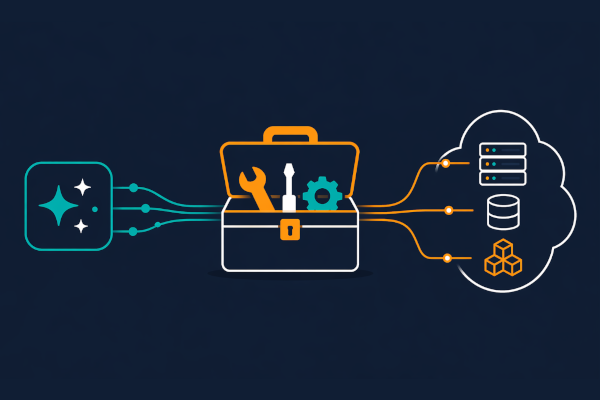
AWS has packaged a more formal way to give AI coding agents cloud authority. Agent Toolkit for AWS, announced on May 6, 2026, is not a new model and it is not a new IDE. It is the connective tissue that lets agents such as Claude Code, Codex, Cursor, and Kiro build real applications and infrastructure on AWS.
At the surface, the toolkit is a bundle of MCP servers, skills, and plugins. The deeper implication is larger. If an AI coding agent only edits local files, it can stay inside a familiar development loop: the agent writes code, a human reviews it, CI checks it, and the team decides whether to merge. Once the agent starts calling AWS APIs directly, writing CloudFormation templates, wiring Lambda to API Gateway, changing S3 bucket policies, and reading CloudWatch logs, the problem changes. The hard questions become permissions, audit trails, cost controls, current service knowledge, and recovery from failed operations.
AWS is aiming straight at that boundary. The official announcement frames Agent Toolkit as a way for AI coding agents to build on AWS with fewer errors, lower token costs, and enterprise-grade security controls. For developers, this is AWS giving its first official answer to a question many teams are already asking: can we let an agent into an AWS account, and if so, through what path?

The three pieces AWS packaged
The structure of Agent Toolkit for AWS is deliberately simple. According to the product page, the core pieces are AWS MCP Server, Agent Skills, and Agent Plugins. Each one handles a different part of the problem.
| Component | Role | Practical meaning |
|---|---|---|
| AWS MCP Server | A managed server that lets AI agents reach AWS APIs, documentation search, and sandboxed execution through MCP. | It is easier to separate permissions and auditing than with raw local terminal commands. |
| Agent Skills | Task-specific procedures and references for CloudFormation, data pipelines, serverless work, and more. | Agents can load AWS-validated workflows instead of relying on stale general model knowledge. |
| Agent Plugins | Installable bundles that configure MCP servers and curated skills for tools such as Claude Code and Codex. | Teams can reduce one-off local setup and define a standard installation path. |
AWS introduced three initial plugins. AWS Core targets application developers building and managing full-stack apps on AWS. AWS Data Analytics focuses on pipelines, data loading, and query work. AWS Agents covers production agent development with Amazon Bedrock AgentCore. The GitHub repository follows the same split with aws-core, aws-agents, and aws-data-analytics plugin units.
That architecture is not only about making agents "know AWS" better. AWS is trying to shape how agents find current documentation, choose services, batch API calls, track results, and stay inside IAM policy boundaries. This is less a knowledge product than a controlled execution route for coding agents.
Why general model knowledge is not enough
Cloud work is a difficult domain for AI coding agents. Unlike fixing a JavaScript helper function, changing AWS infrastructure usually means coordinating multiple services at once. VPC, IAM, Lambda, API Gateway, ECS, S3, CloudWatch, CloudFormation, CDK, and Secrets Manager can all show up in a single task. One wrong service option can break the next step, and every retry costs tokens and time.
AWS identifies the same failure mode. The announcement says developers using coding agents for AWS run into complex multi-service workflows, stale knowledge of AWS services, and governance challenges. That may read like vendor positioning, but it maps closely to day-to-day cloud engineering.
Frontier models are powerful, but they do not always know the latest constraints and recommended patterns for a specific cloud service. A newly released AWS service, a changed API, region-specific availability, or a Well-Architected recommendation may have changed after the model's training window. An agent can then produce a template that looks plausible but fails at deployment.
Agent Skills are aimed at this exact gap. The product page describes skills as curated packages of instructions, code scripts, and reference materials. The announcement says AWS is starting with more than 40 skills covering infrastructure as code, storage, analytics, serverless, containers, and AI services, with databases, networking, and IAM planned for later.
The important detail is that skills are not just a prompt library. AWS says each skill has been evaluated to improve agent accuracy and reliability. We will need to see how deep that evaluation becomes in practice, but the direction is clear. Enterprise coding agents need more than clever system prompts. They need verified procedures, current documentation, and a diagnostic path when a cloud operation fails.
MCP becomes a cloud operations path
AWS MCP Server sits at the center of Agent Toolkit. MCP is the protocol AI agents use to discover and call external tools and data sources. Until now, many MCP deployments have lived in local development setups: internal docs, GitHub, databases, browser automation tools, and similar resources. AWS is extending that pattern across cloud APIs.
The product page describes AWS MCP Server as a managed remote server. Agents can use it to run AWS CLI commands, search AWS documentation, and follow curated skills. The headline scale is notable: AWS says the server covers more than 300 AWS services and more than 15,000 API actions. In other words, an agent can reach a broad slice of AWS through a single tool surface.
That does not mean unlimited access. The AWS MCP Server setup docs describe two IAM condition context keys attached to agent requests. aws:ViaAWSMCPService indicates whether a request came through an AWS managed MCP server, and aws:CalledViaAWSMCP carries the service principal for the specific MCP server. Administrators can use those keys to allow or deny requests that travel through the MCP route.
Claude Code, Codex, Cursor, Kiro
MCP proxy and AWS credentials
AWS MCP Server
IAM policy, CloudWatch metrics, CloudTrail audit logs
That design matters because it lets teams distinguish a human's terminal command from an agent's cloud command. If an agent simply runs the local aws CLI, CloudTrail may have trouble separating that call from a direct human operation. User identity, roles, and session tags can help, but they are awkward if the policy question is "was this request executed through an AI agent path?" AWS MCP Server tries to expose the path itself as an IAM condition.
For example, the same developer role could allow write operations locally while denying S3 deletion or IAM changes when the request comes through MCP. The docs include examples that deny actions such as s3:DeleteBucket and s3:DeleteObject on the MCP path. This is the kind of separation enterprises want: humans can still intervene during an incident, while agents default to read-only or staging-only boundaries.
Sandboxed execution and the reality of files
Another piece worth watching is sandboxed script execution. AWS MCP Server can let an agent run Python scripts in an isolated environment for multi-step operations. This is not just convenience. Cloud tasks often require multiple API calls, result parsing, filtering, and conditional logic. If an agent has to make every call as a separate conversational turn, the interaction gets longer and token use grows. Sandboxed script execution can compress that repetition into one structured run.
But teams should not read the word sandbox and assume the operational risk disappears. The data protection docs say AWS MCP Server runs in a cloud environment and cannot directly access the local file system. When files are needed, the workflow stages them through pre-signed URLs in the user's S3 bucket. If the target service can accept an S3 location, the server passes that reference. If file contents are required, it downloads the file into temporary compute storage and deletes it after the task. A single staged file can be up to 4 GB, and the pre-signed URL can expire after as much as one hour.
That tells us two things. First, AWS is avoiding a design where an agent can freely crawl a developer's local machine. Second, file staging brings the user's S3 cost and permission model into the loop. Once an agent uploads a deployment package or processes data, S3 PUT and GET charges, staged-file lifecycle, and bucket policy become operational concerns.
Teams adopting Agent Toolkit should therefore go beyond "we installed it." They need to decide which account the agent runs in, which S3 bucket is used for staging, how lifecycle and encryption are configured, and what role the agent is allowed to assume. MCP is the connection standard. Operational safety still comes from account design.
Official plugins now include Codex and Claude Code
For devlery readers, one of the more interesting details is that Codex and Claude Code appear in the official installation path. The AWS product page shows /plugin marketplace add aws/agent-toolkit-for-aws for Claude Code and codex plugin marketplace add aws/agent-toolkit-for-aws for Codex. The GitHub repository points to the same commands.
That is more than a compatibility list. When a cloud vendor ships official plugins for specific AI coding agents, it is treating those agents as legitimate clients for developer workstations. In the past, developers interacted with AWS directly through the CLI, CDK, CloudFormation, or the console. Now the AI coding agent sits between the developer and those surfaces, and AWS is providing an official tool surface for that agent.
This matches several recent moves in the same direction: managed plugins for GitHub Copilot CLI, Cursor's Teams and PR command center, Google's Gemini File Search for multimodal RAG, and Glean's agent development lifecycle. The competition is shifting from "which assistant gives the smartest answer?" to "which assistant can move safely inside the real tools and permission systems of an organization?" AWS Agent Toolkit is the cloud infrastructure version of that shift.
The developer experience upside is clear. If an agent can search AWS docs directly, load only the skill it needs, and call APIs through an MCP server, it relies less on old model memory. Plugin-based installation also helps standardize teams. A platform team can make aws-core the default, recommend aws-data-analytics for data teams, and give AI platform teams aws-agents.
The same convenience also raises the stakes. Easier plugins mean developers will ask agents to do more. The distance from "create an S3 bucket" to "deploy this production data pipeline" is shorter than it looks. Installation convenience has to travel with least privilege.
The real enterprise questions
Agent Toolkit for AWS is moving in a useful direction. IAM context keys and CloudTrail audit logging create boundaries that agent operations badly need. But the toolkit will not automatically solve every organization's agent risk. It makes the questions more concrete.
First, where should the agent start: a personal developer account, a shared development account, a sandbox account, or an ephemeral account? Second, should the default permission set be read-only, or should some write actions be allowed? Third, should resource creation that incurs cost require an approval gate? Fourth, should the path to production remain limited to PR and CI/CD, or can an agent make direct changes?
These questions existed before AI. Agents simply remove the option to postpone them. A human clicking through the console may be an occasional error event. An agent can make dozens of API calls in one session. Designed well, that becomes fast automation. Designed poorly, it becomes fast misconfiguration.
A conservative operating model is the better default. Create agent-specific IAM roles. Apply separate deny and allow policies to requests that arrive through MCP. Start read-only by default, and limit creation rights to development accounts. Block expensive resources, public networking, IAM changes, and data deletion unless an approval gate exists. Track agent sessions separately through CloudTrail and CloudWatch. Add lifecycle rules to staging S3 buckets so temporary files do not linger.
Under that model, Agent Toolkit becomes a strong tool. The agent searches current AWS docs and follows evaluated skills, while humans define the boundary through audit logs and IAM policy. That is not "AI freely controls the cloud." It is closer to "AI gets an official path for cloud operations, and that path is governed as a first-class policy surface."
AWS is making its position clear
The biggest signal in this announcement is that AWS does not see coding agents as tools outside the cloud platform. Agent Toolkit is not only for Bedrock AgentCore. It assumes external development environments such as Claude Code, Codex, Cursor, and Kiro. AWS is pulling them into its cloud operations path.
This is also a platform defense strategy. As developers begin creating infrastructure through AI coding agents, the documents and tools those agents see will influence cloud choices. If AWS provides official MCP servers and skills, agents can follow AWS-recommended patterns more easily. Without an official path, agents fall back to old blog posts, general model knowledge, or unofficial MCP servers.
Agent Toolkit is therefore both a developer tool and a platform strategy. AWS is saying that, even in the AI coding agent era, the infrastructure control plane should still pass through AWS-managed routes. The model can come from OpenAI, Anthropic, Google, or somewhere else. The IDE can be Codex, Claude Code, Cursor, or Kiro. What matters is that when AWS resources are touched, current documentation, permissions, auditing, sandboxing, and cost boundaries run through the official AWS path.
The competitive pressure will probably increase from here. Microsoft is pushing agent registration and organizational control through Agent 365 and the GitHub Copilot ecosystem. Google is tying Workspace controls, Cloud agent management, Gemini APIs, and File Search together. GitHub is turning Copilot CLI plugins into enterprise-managed components. AWS is using Agent Toolkit to standardize cloud API access and agent skills.
The immediate job for development teams is not to install every vendor announcement as soon as it ships. It is to decide which resources an agent should be able to read and write, which tasks must go through PR and CI, and which logs count as audit evidence. Only then does it make sense to attach official paths such as Agent Toolkit.
AI coding agents are no longer just conveniences inside the editor. They are actors that can touch cloud accounts, deployment pipelines, and data permissions. AWS Agent Toolkit makes that shift concrete. The era where cloud access can be handed to an agent has arrived. The central question is no longer whether that access is possible. It is which boundary the team draws around it.